Choosing the entity
Who this page is for
Every user. The entity is the fiscal unit inside the group — the business or branch that keeps its own books and accounting periods. The transaction screens work in one selected entity: journal entries, purchase and sales invoices, payment and receipt vouchers, and the accounting periods. Opening one of them with no entity selected gives an empty window with a message asking you to choose an entity.
What you need first
- An open group — Choosing the group.
- A new database comes with a first entity ready, created by setting up the database.
Steps
-
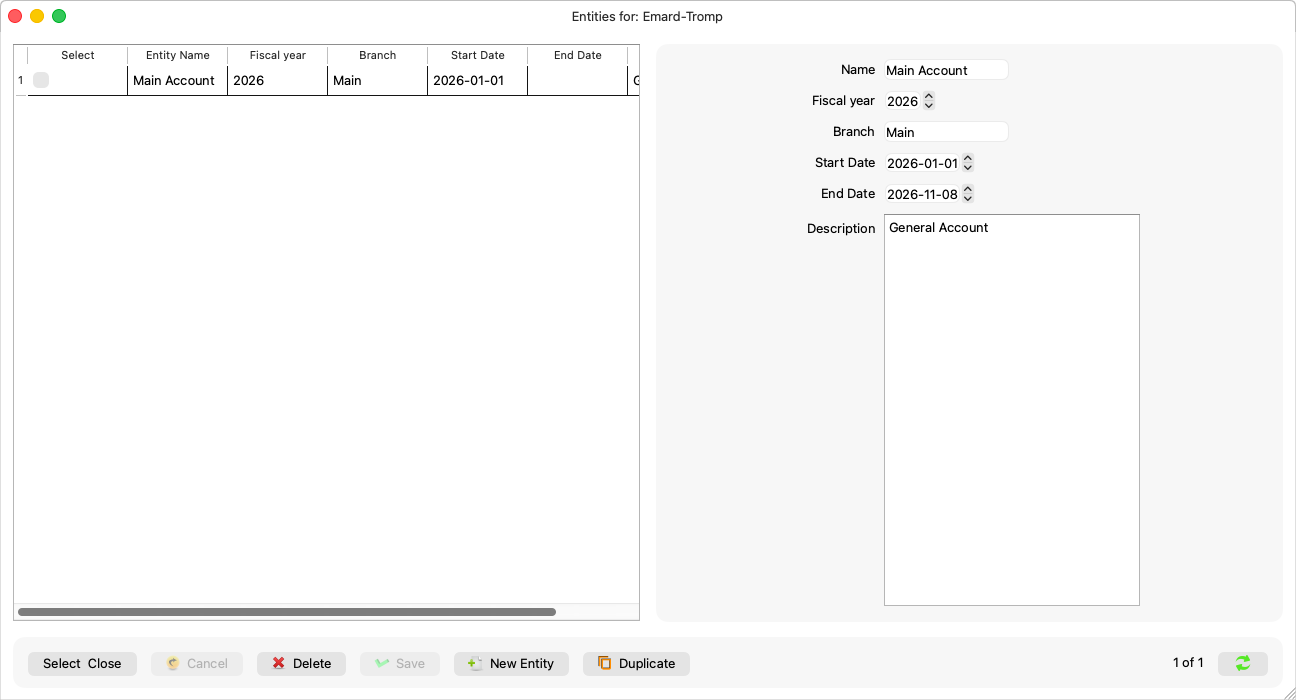
Open File → Entities.
-
Choose the entity's row in the table.
-
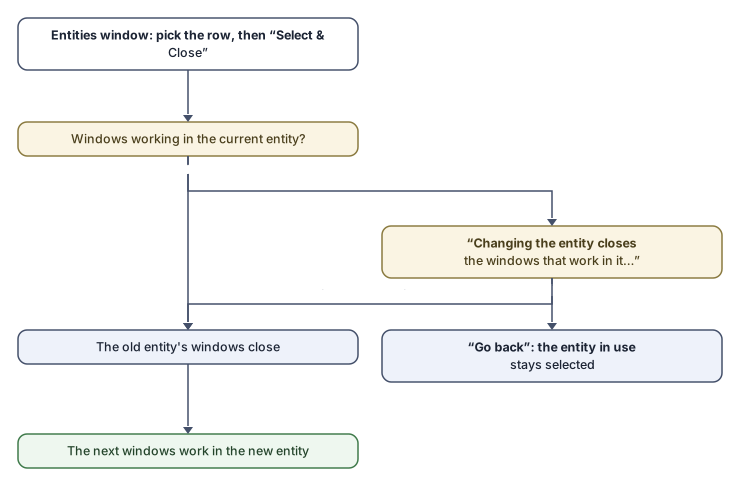
Press Select & Close.
The windows you open afterwards work in this entity. Changing the entity while windows are open asks one question:
“Changing the entity closes the windows that work in it. These windows have unsaved changes, which will be lost:”
Go back returns the selection to the entity in use and closes nothing.
Creating and editing an entity
The same window is a full form: New Entity, Save, Delete and Duplicate.
| Field | What it means |
|---|---|
| Name | The entity's name; the only required field (“An entity needs a name.”). |
| Branch | The branch name, if any. |
| Description | Free text. |
| Fiscal year and the Start Date and End Date | The entity's fiscal year and its bounds; its accounting periods and its year start in the reports derive from them. |
A new entity has no periods: they are generated from the Accounting Periods window (Master Data → Accounting Periods, the generate-periods button) before the first entry.
Rules and refusals
- The selected entity belongs to its group: opening another group clears the selection, so you choose that group's entity yourself — the previous group's entity is never opened by mistake.
- “This entity cannot be deleted: it has journal entries, invoices or payments, an accounting period that is not open or not empty, or an invoice number already issued.” — deletion is for empty entities only.
- “This entity no longer exists. The list has been read again.” — someone else deleted it before you.
Common mistakes
- Opening an entries or invoices window before selecting an entity, then being surprised that it is empty. Select the entity first, then open the window.
- Forgetting to generate periods for a new entity: the first entry is refused because no period covers its date.