The Cash/Bank Receipts window
Who this page is for
Everyone who records cash or bank receipts. It opens from Transactions ← Cash/Bank Receipts: “Record money received in cash or at the bank; the journal entry is booked for you”.
The window is the Cash/Bank Payments window in the opposite direction — the money comes in instead of going out — and everything there applies here. This page covers only what differs.
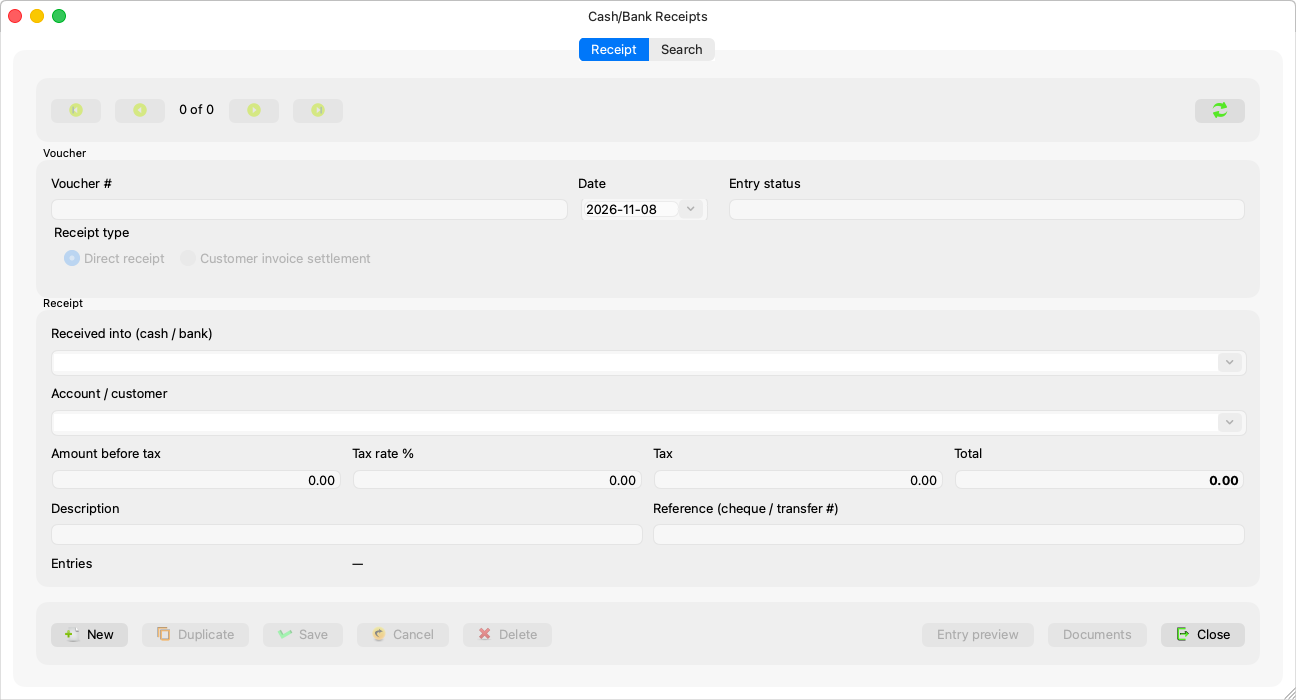
What differs from the payments window
| There | Here |
|---|---|
A PV-… number |
An RV-… number |
| “Payment type”: Direct expense / Vendor invoice settlement | “Receipt type”: Direct receipt / Customer invoice settlement |
| “Paid from (cash / bank)” | “Received into (cash / bank)” — “Received into must be a cash or bank account. Mark it in the account's properties.” |
| “Account / beneficiary” | “Account / customer” — the revenue account on a direct receipt, the customer's account in a settlement |
| Input VAT | Output VAT: “Set the Output VAT account in System Settings before saving a taxed receipt.” |
| Settles purchase invoices | Collects sales invoices |
The four amounts and the way they compute are as in Creating a payment voucher, and deleting and voiding as in Deleting or voiding a voucher, in receipt wording (“This receipt is posted, so it can no longer be changed…”).
Each window keeps its own saved size and columns; and a voucher opened in the wrong window says: “{number} is a receipt. Open it from Cash/Bank Receipts.” — and the other way round for a payment.