Journey: a new restaurant, from zero to a website showing its menu
The full road for a restaurant owner: from no account to a website showing the menu live from Konzepti. Every step has its detailed page — this is the road map.
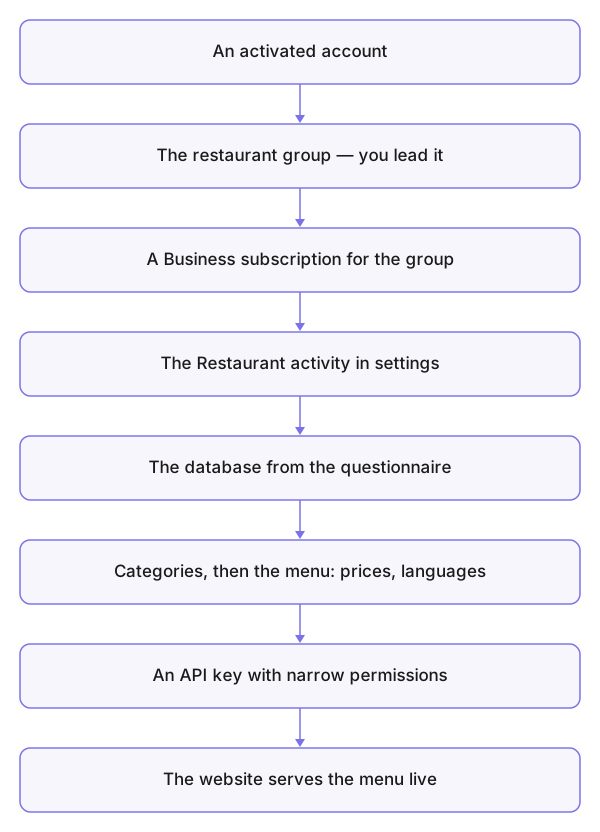
- Create your account — Creating an account, and activate it from your inbox.
- Create the restaurant's group — Your groups. You are its leader; invite your partners later from Members.
- Subscribe for the group — The group's subscription: the restaurant tools run through the business service and need an active Business subscription.
- Set its activity to restaurant — choose the activity category in the group settings and get the specialised restaurant panel.
- Create the database — The database: the country, currency and language questionnaire. To practise, choose a trial — knowing that leaving it is a reset (the concept).
- Build the menu — Categories first, then the dishes in the catalog with their prices (Units) and languages (Languages) — or import a ready menu (Import and export).
- Generate the website's API key — API keys: narrow permissions, and copy it at once — it shows only once.
- Connect the website — your developer puts the key into the website: the menu shows live, and bookings and visitor messages land in your tools (the connection concept).
From then on, your day runs on the bookings board and customer messages — and the menu is updated from the catalog alone.