Account properties
Who this page is for
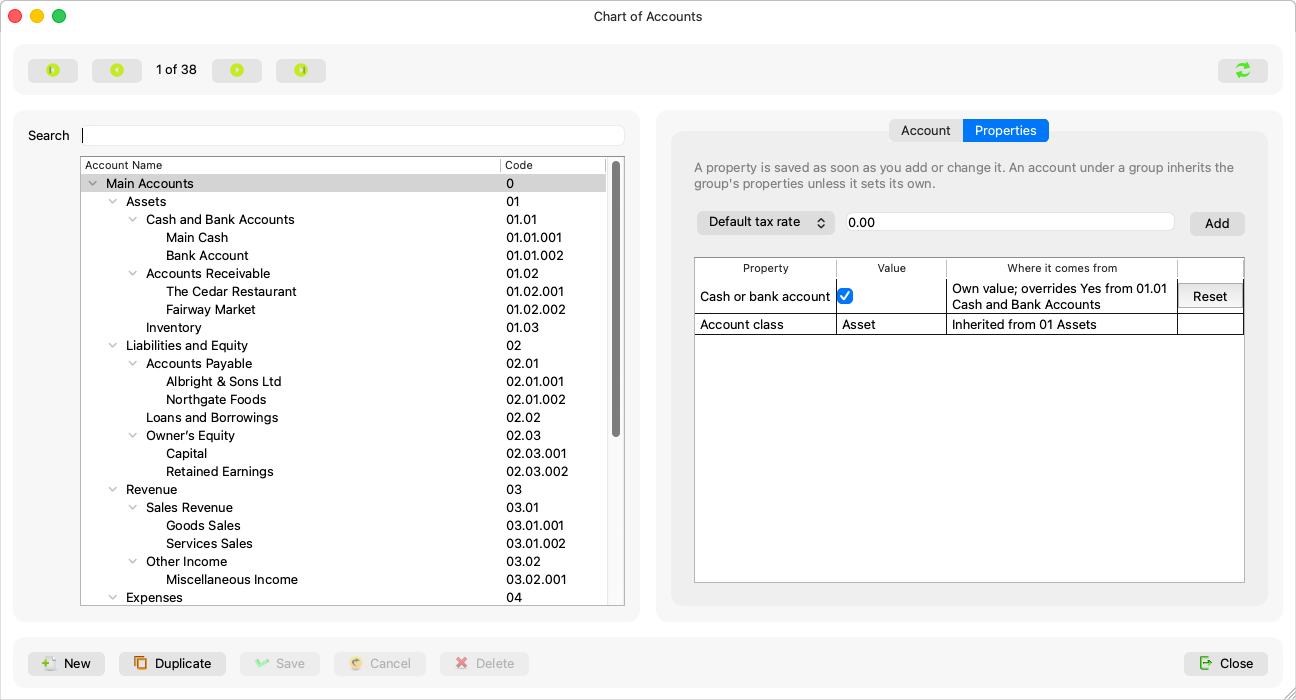
Anyone tuning how an account behaves in the rest of the app: which accounts the vouchers offer as cash and bank, which tax rate is pre-filled, and where the account lands in the financial statements. It is the Properties tab of the Chart of Accounts window, and its header states the rule:
“A property is saved as soon as you add or change it. An account under a group inherits the group's properties unless it sets its own.”
What you need first
- A saved account: “Save the account first, then edit its properties.” — and the tab is also blocked while the account form has unsaved changes, because the two halves save in different ways.
How saving works
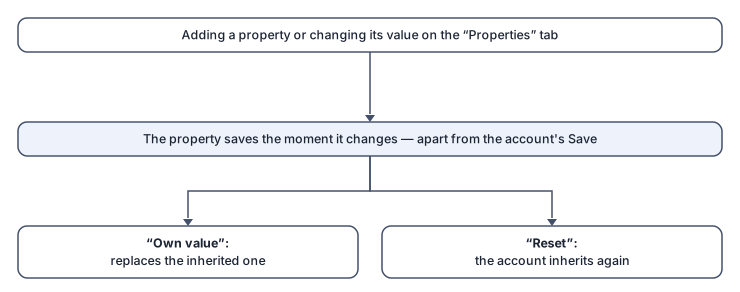
Every property is saved the moment it is added, changed or removed — entirely apart from the account's Save button. The table shows each property's value and its source:
- “Own value” — set by this account itself; it may read “Own value; overrides {value} from {account}”.
- “Inherited” — from a group above it; “Change it to set this account's own value.”
- Reset: “Remove this account's own value; it inherits again.” — and Remove: “Remove this property from the account.”
- A new property is added from the “A property this account does not have yet” list and the Add button.
The properties that matter most
| Property | Effect |
|---|---|
| Cash or bank account | “Money is paid from or received into this account. Payments offer only leaf accounts where this is true.” — the cash-account field of a cash invoice reads it too. |
| Default tax rate | “Pre-fills the tax rate of a payment whose expense account is this one or below it.” |
| Account class | Assets / liabilities / equity / revenue / expenses: “Asset, liability, equity, revenue or expense: decides the account's normal side and whether it starts each fiscal year at zero. Set on a group, inherited below it, overridable per account.” — and a missing class blocks the fiscal-year close by name. |
Rules and refusals
| Message | What it means |
|---|---|
| “This property can only be set on an account that takes postings.” | A leaf-only property on a group. |
| “That value does not suit this property.” | The value's type is wrong. |
| “This property is no longer in use.” / “This property no longer exists. Refresh the list.” | The list of properties belongs to the server. |
| “This group is read-only, so properties cannot be changed.” | The subscription is not active. |
Common mistakes
- Looking for a Save button for the properties — there is none; saving is instant, and a failure is said at once (“Failed to save the property”).
- Marking every account as cash by hand under the cash group — mark the group and let inheritance do the work.