Settling an invoice from the payment voucher
Who this page is for
Everyone who records the payment of a posted vendor invoice from the vouchers window — the Pay button in the invoice window reaches the same point pre-filled; Paying a purchase invoice.
Steps
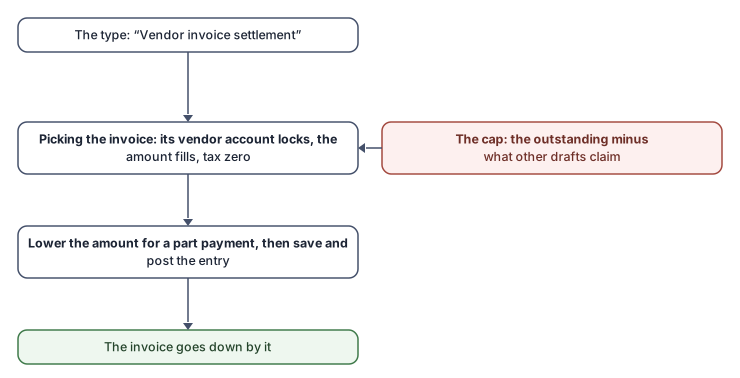
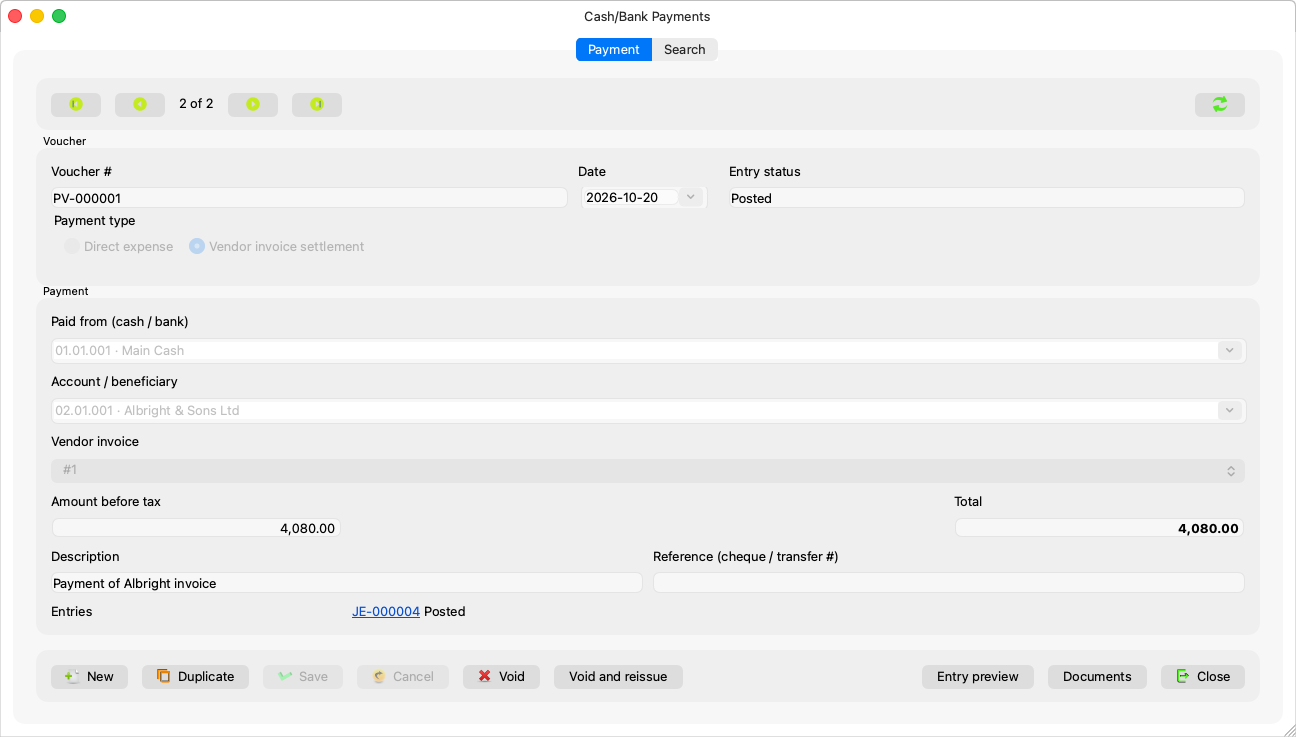
- A new voucher, of the Vendor invoice settlement type.
- The Vendor invoice field appears (“(choose the invoice)”) with the entity's posted invoices that still have something outstanding — each with its number, its vendor, and what this voucher may pay of it.
- Choosing the invoice fills the voucher: Account / beneficiary locks onto the invoice's vendor account (“A settlement books against the invoice's own vendor account.”), the amount onto the most allowed, and the tax is zero (“A settlement carries no tax: the tax was booked with the invoice.”).
- Adjust the amount for a partial settlement, choose “Paid from”, then Save and post the entry.
The amount's limits
The cap is what is outstanding on the invoice minus what other draft settlements hold:
- “The amount is more than what is still to pay on the invoice. This payment may be at most {amount}.”
- “The amount is more than the invoice can still take. This payment may be at most {amount}: payments not yet posted claim {pending}.”
A saved voucher you reopen does not count its own share among the claimed, so you can raise its amount up to what is outstanding.
Rules and refusals
| Sentence | Meaning |
|---|---|
| “Choose the invoice this payment settles.” | A settlement type with no invoice. |
| “A direct expense does not settle an invoice.” | Switch the type first — before the first save. |
| “Only a posted invoice can be paid.” | Invoice drafts are never settled. |
| “A payment settles a purchase invoice, a receipt a sales invoice.” | Each direction has its own invoices. |
| “This invoice is already paid.” | Choose another one. |
And the invoice list shows only the newest open ones: “Only the {count} newest open purchase invoices are offered. To pay an older one, open it in Purchase Invoices and press Pay.”
Common mistakes
- Recording the settlement as a direct expense on the vendor's account: the invoice stays unpaid and the expense doubles. Settlement is its own type, which links the voucher to the invoice.
- Expecting the invoice to become paid on save — it does after the voucher's entry is posted.