The Purchase Invoices window
Who this page is for
Everyone who enters vendor invoices. It opens from Transactions ← Purchase Invoices.
What you need first
- An open group and a selected entity: “Select an entity first: invoices are booked per entity.”
- Settings that ease the work (a group administrator sets them in Accounting Settings, on the Invoices tab): the vendors' account group, the default purchase account for the lines, and the Input VAT account for taxed invoices.
The four tabs
| Tab | What it holds |
|---|---|
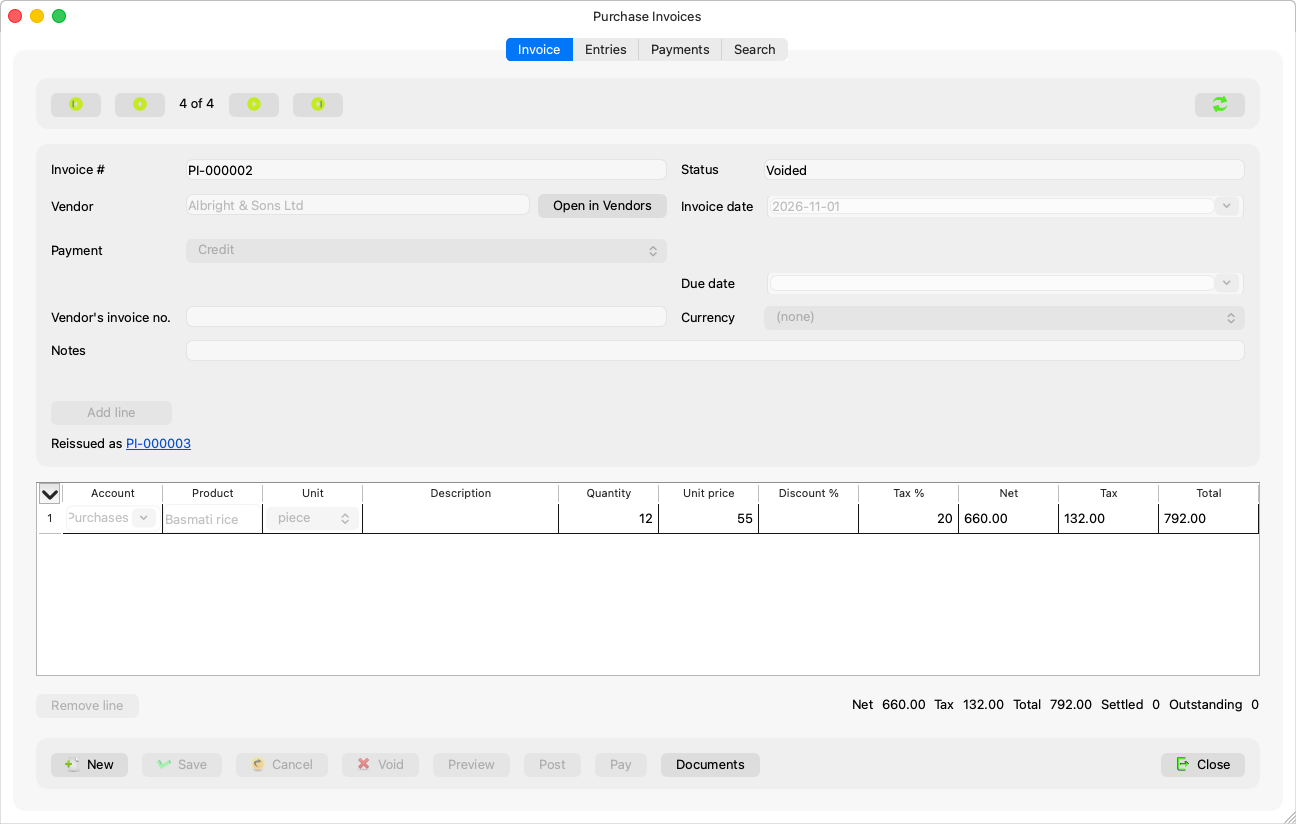
| Invoice | The header, the lines grid, the totals and the buttons. |
| Entries | What belongs to the journal entry: the period (shown), the “Entry description”, the booked entries, and the live “Journal entry preview”: “What saving the invoice now would book, refreshed as you work. Nothing is saved.” |
| Payments | The vouchers settling the invoice. A long list says: “Only the {count} newest payments of this invoice are listed here. Settled and Outstanding count them all.” |
| Search | Date, status and text filters, and the twenty newest results — Searching the invoices. |
“Payments” and “Search” are disabled while the invoice has unsaved changes; “Entries” stays available.
What the header shows
| Field | Meaning |
|---|---|
| Invoice # | Generated by the server on save (PI-000001); display only, always in Latin digits. |
| Status | Draft / Posted / Voided / Paid / Partially paid — and “{status}, payment pending” while a draft payment exists. |
| Vendor | A live search field — Creating a purchase invoice. |
| Invoice date and Due date | The due date shows on credit invoices only. |
| Payment | On credit or in cash — Credit or cash invoice. |
| Vendor's invoice no. | The paper's number at the vendor; searchable. |
| Description | “Shown in the journal entry and searchable”. |
| Notes | “Internal remark, not shown in the books”. |
| Currency | The main currency — see the Currency concept. |
Below the lines: Net, Tax, Total, then Settled and Outstanding, and Pending while there are “Draft payments: they settle the invoice once their entries are posted”.
Buttons
New, Save, Cancel, Delete / Void, Void and reissue, Preview, Post, Pay, Documents, Close. Whatever is not allowed on the shown invoice is disabled, with the reason in its tooltip.