Keyboard shortcuts
Who this page is for
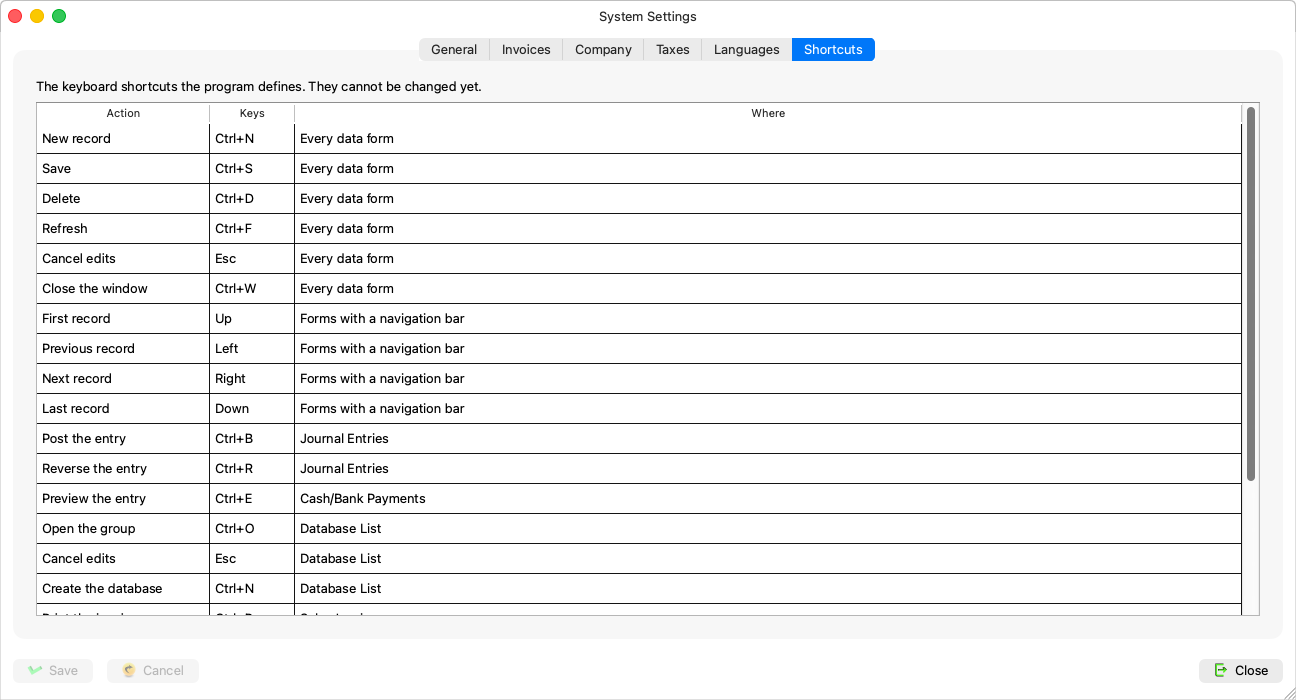
Every user. The Shortcuts tab is a reference table: “The keyboard shortcuts the program defines. They cannot be changed yet.”
Reading the table
Three columns: the action, the keys and where — and “Where” gives each shortcut's scope: “Every data form” (new, save, delete, refresh, cancel the edits, close the window), “Forms with a navigation bar” (the four navigation buttons), then single-window shortcuts — Journal Entries (post, reverse), Sales Invoices (print preview, print), the report windows (show, print), Database List — and “Every form, when Enter is the navigation key” (next and previous field).
The table is built from the very code that defines the shortcuts, so it cannot disagree with what the keys actually do. On a Mac, Ctrl reads as a ⌘ press.
The shortcuts are explained in context in Keyboard navigation.