A tour of the dashboard
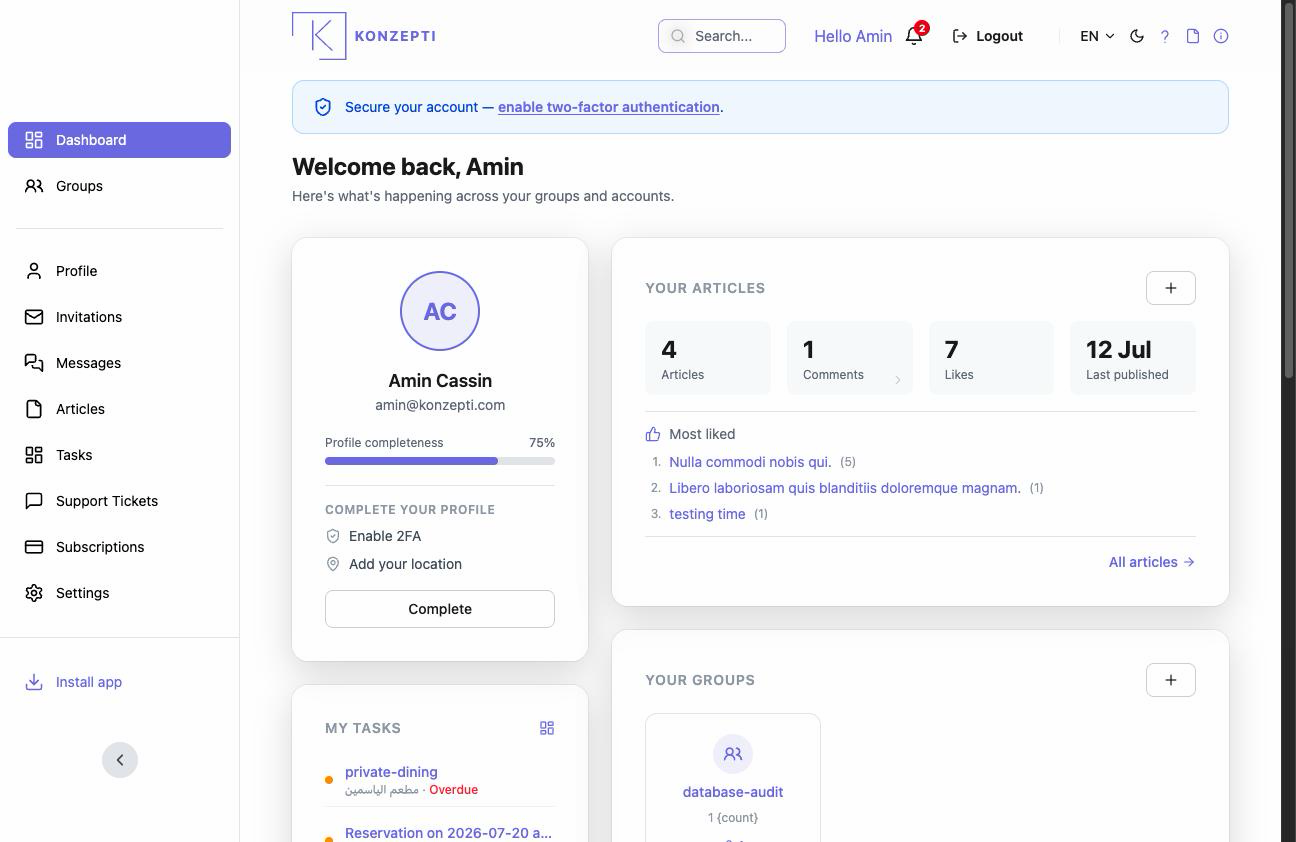
The Dashboard is your personal page above all groups: what concerns you — your tasks, invitations, articles and subscriptions — gathered from every group in one place. A group has its own panel (the group control panel); this one is yours.
Who is this page for?
Every user — it is the first thing you see after signing in.
The cards
- Your Groups — your memberships and creating new ones (Your groups).
- Invitations received and Invitations sent — (Your invitations).
- My Tasks — what is assigned to you across all groups (Your tasks).
- Subscriptions — what you pay for (Your subscriptions).
- Your Articles — drafts included (Your personal articles), with the Write article button (New article).
- Your support tickets (Support tickets).
Getting around
The side menu always brings you back to the Dashboard and Groups; the Notifications bell gathers what's new; and your account menu holds your profile, your settings and Logout.
Common mistakes
- Looking here for the management of one particular group — that lives in the group's own panel.
- Ignoring the invitations card and assuming an invitation got lost.