Deleting or voiding a voucher
Who this page is for
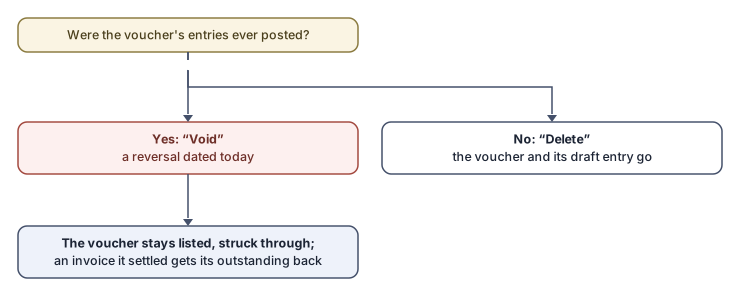
Everyone taking back a payment or receipt voucher. What happens is decided by the voucher's history in the books:
A voucher whose entry is still a draft: delete
The Delete button asks “Delete {number} and its draft entry?” and removes the voucher and its entry together — nothing has entered the books yet. When the voucher holds archive documents the question also says: “Its {count} linked document(s) become free to link to another line.”
A voucher with posted entries: void
What entered the books is never erased. The button reads Void, with the tooltip “It has posted entries, so it is voided with a reversing entry and stays in the list.” And the question:
“This payment has posted entries, so it is voided rather than deleted. It stays in the list. Void {number}?”
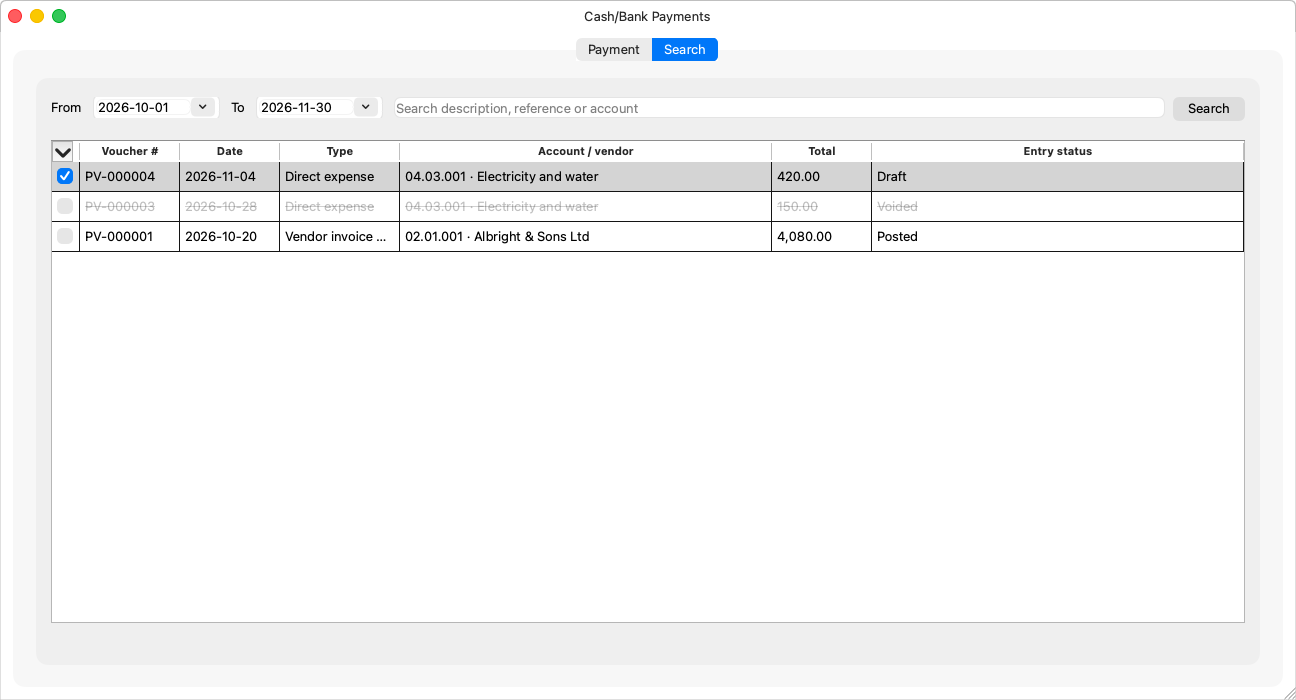
After the void: a reversing entry dated today cancels the effect, the voucher stays in the search struck through, and can no longer change: “This payment is voided and can no longer be changed.” A voucher that was settling an invoice gives its outstanding amount back.
Today's date falling in a closed period goes through the familiar Simple-level question (“You closed it; at the Simple level closing organises the books, it does not lock them.”) — at the Professional level the period is reopened from its window first.
A posted voucher you want to correct (not cancel)
Void and reissue: voids the voucher and opens a copy to correct and save as a new voucher — Void and reissue.
Rules and refusals
- “This payment holds archive documents: only the person who made it or an administrator can delete or void it.”
- A voided voucher is neither voided again nor deleted.