Invoice defaults
Who this page is for
Group administrators. The Invoices tab sets what new invoices start with and where party accounts are created — saving the people entering invoices a few clicks on every one.
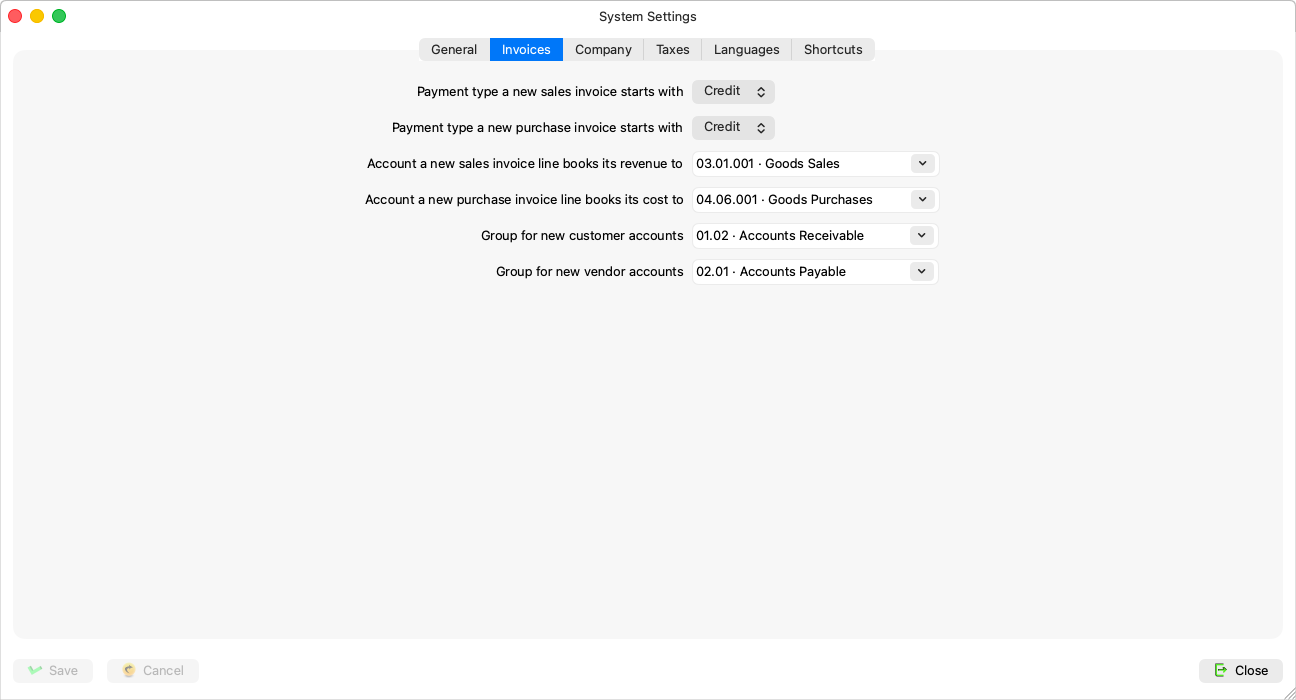
Fields explained
| Field | What it means |
|---|---|
| “Payment type a new sales invoice starts with” and its purchase counterpart | Credit or cash. “Only the starting value: each invoice can still be paid in cash or on credit” — Credit or cash. |
| “Account a new sales invoice line books its revenue to” and its purchase counterpart | “A posting account; empty when not set. Each line can still use another account” — an unset one reads “Not set”, and clearing it puts it back that way. While it is set, every new line starts on it, and the account column can be hidden from the lines grid. |
| “Group for new vendor accounts” | “The group a new vendor's payable account is created under; empty for none” — without it, creating a vendor account is refused, from the Vendors window and the find-a-vendor dialog alike. |
| “Group for new customer accounts” | The same for receivables. |
Rules and refusals
| Message | What it means |
|---|---|
| “The default sales account must be an account that takes postings, not a group.” (likewise purchases) | The two default accounts are posting accounts. |
| “The group for new vendor accounts must be a group account.” (likewise customers) | The two parent accounts are groups — the opposite of the previous pair. |
| “That account no longer exists.” | Someone deleted it; pick a replacement. |
An account made a default or a parent here becomes protected in the Chart of Accounts: it cannot be deleted and its type cannot change while this setting points at it, and its tooltip says so.