The group control panel
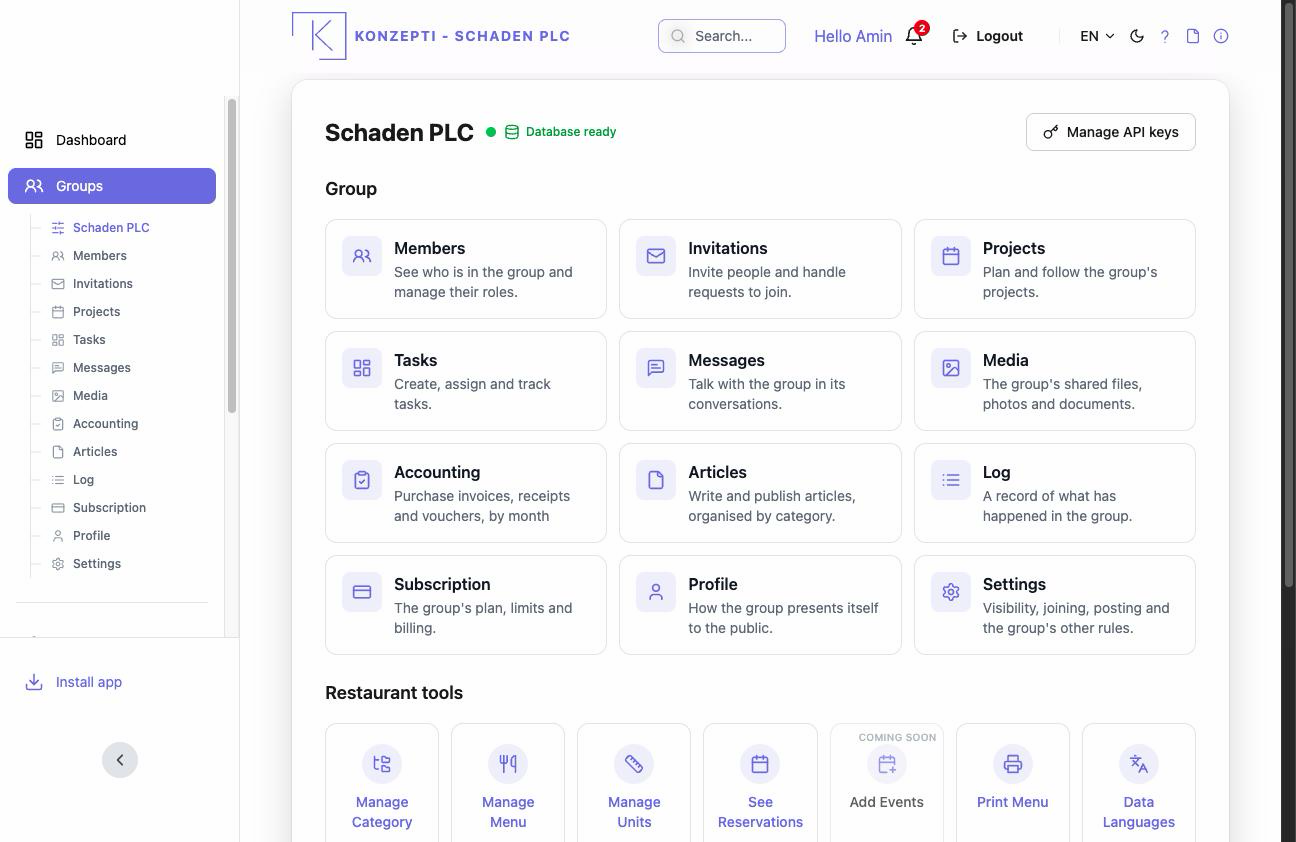
Every group has a control panel: the mother page all its sections branch from — members, projects, tasks, messages, media, accounting, subscription, settings. Open any group under Your Groups and you land on its panel.
Who is this page for?
Every member; what the panel shows follows your role — accounting, for example, only accountants and admins see.
What's on the panel?
- The panel header — the group's name and the two status indicators: the business-service connection dot and the database icon, plus the database card while there is none yet. Detailed in the database and the business panel.
- Business tools — the tool cards for a business group (Categories, Catalog, Bookings, Custom messages, Data export as JSON or CSV).
- The group's sections — links to members, projects, tasks and the rest of what this chapter's pages explain.
What you see after
Your daily navigation starts here: every group page carries a way back to the panel.
Common mistakes
- Looking for membership settings on the panel — they live under Members, not in the general settings.
- Expecting business tools in every group — they appear for a business group, and some need an active Business subscription.