Group articles
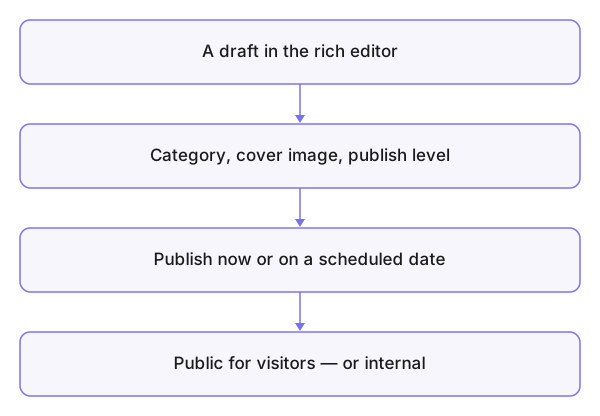
A group publishes articles in its name or its writers' names: its news for the public, or internal notes for its members. The deciding switch is each article's publish level — public, visible to any visitor, or group-only, visible to members.
Who is this page for?
First of all the publisher, leader and admin; personal writing starts from the dashboard in New article.
How it works
- An article is written in the rich editor, with images from the group's media, a Category and a Cover Image.
- It starts as a Draft and becomes Published when ready; a publish date can be scheduled.
- Commenting on articles is governed by the group settings: everyone, members, moderators, admins only, or closed.
What you see after
Public articles appear on the group's public page (the public profile); internal ones reach the members; engagement runs by comments and likes where the settings allow.
Common mistakes
- Publishing "public" what was meant to stay internal — check the level before publishing, not after.
- Comments open to everyone on a group nobody moderates.