Accounting documents
The group's Accounting section is its protected archive of accounting documents — purchase invoices, receipt vouchers, payment vouchers and more. The idea: the paper is captured once, here, digitally, then the accountant links it to its entry in al-Shamil — and every entry keeps its scanned original for as long as the books live. In short:
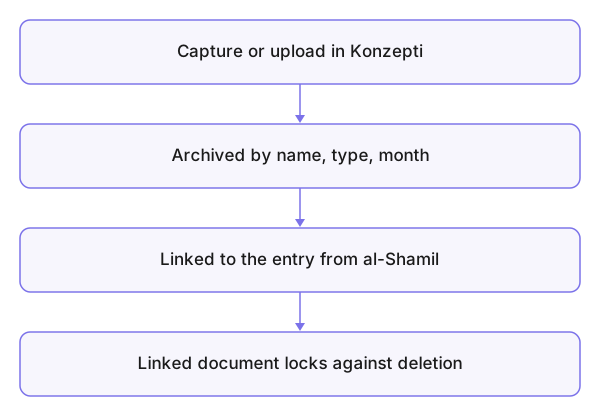
Capture or upload in Konzepti → archived by name, type and month → linked to the entry from al-Shamil → the linked document locks against deletion.
Who is this page for?
Accountants and admins only — nobody else even sees the section. The role is granted under Members.
What you need first
An accountant or admin role, and a database for the group if linking from al-Shamil is wanted.
Capturing a document with the camera
- Open Accounting and choose Capture a document.
- Take a photo per page, Add a photo for the next; order the pages before saving.
- Fill in Name, Type and Month, then Save document — the photos become a single PDF.
Uploading a ready PDF
Choose Or upload a PDF as it is, then the same fields and Upload PDF.
What you see after
The archive is ordered by type and month. A document the accountant linked to an entry in al-Shamil is marked linked and locked against deletion — protecting the books outranks tidiness. And resetting the database never touches the archive.
Common mistakes
- Deleting an "old" document without checking its link — a linked one won't delete, and that is intended.
- A wrong month or type at saving time — the accountant hunts for it in the wrong place when linking.
- Mixing accounting papers into the general media library.