The logo on invoices
Who this page is for
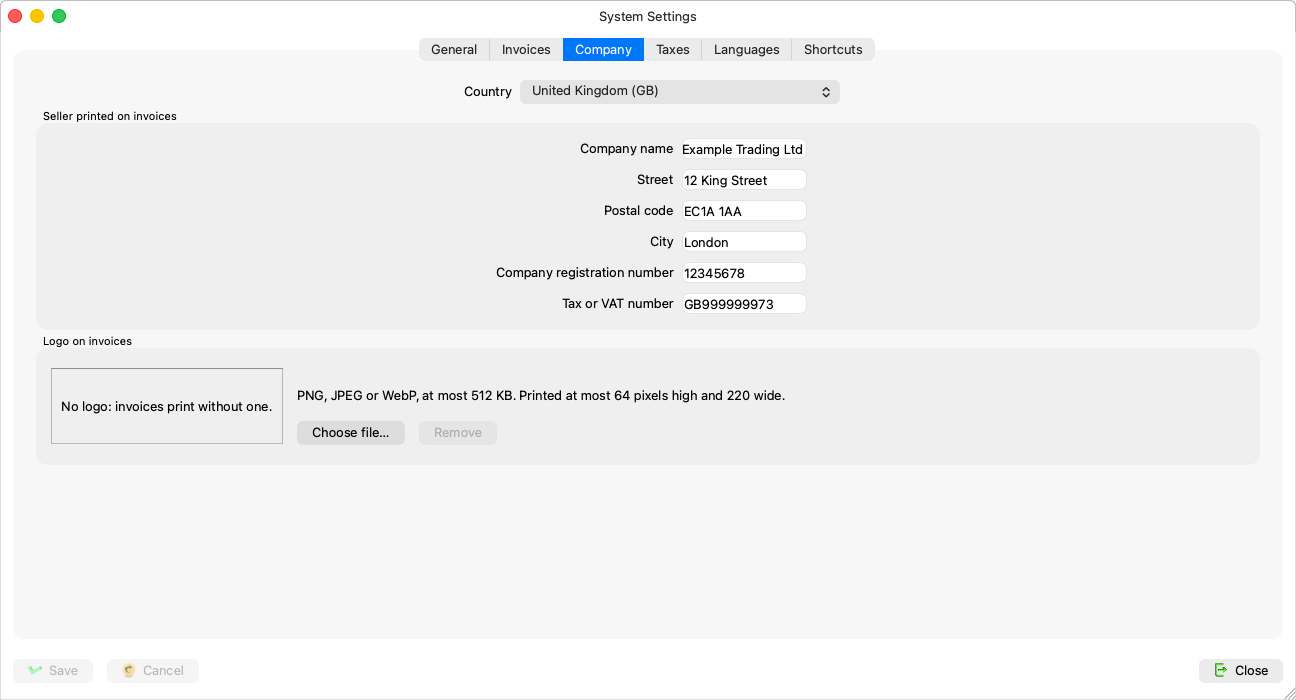
Group administrators. The “Logo on invoices” section of the Company tab: a picture printed in the header of a sales invoice — “PNG, JPEG or WebP, at most 512 KB. Printed at most 64 pixels high and 220 wide.”
Uploading and removing — instantly, apart from Save
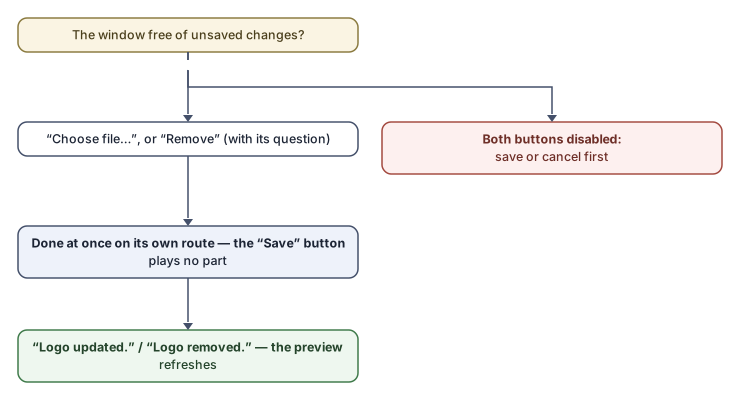
The logo has its own path: Choose file… uploads it on the spot, and Remove asks (“Remove the logo? Invoices print without one until a new one is chosen.”) then clears it on the spot — the window's Save button has nothing to do with either, and both buttons are disabled while the window has unsaved changes, so save or cancel first.
- Press Choose file… and pick the image (PNG, JPEG or WebP).
- The app checks the file before sending, then uploads it: “Logo updated.” — the preview and the “Last updated {when}” line refresh.
With no logo the section reads: “No logo: invoices print without one.”
Rules and refusals
| Message | What it means |
|---|---|
| “That file is not a PNG, JPEG or WebP image. SVG and GIF are not accepted.” | Convert the image first. |
| “That image is larger than 512 KB. Choose a smaller one.” | Shrink it — printing needs no more. |
| “That file is empty. Choose an image file.” | A broken file. |
| “Logo unchanged: that image is already stored.” | The same file is already up. |
| “No logo is stored.” | A remove with nothing to remove. |
The whole section is disabled for non-administrators and while the subscription is not active.