Closing the fiscal year
Who this page is for
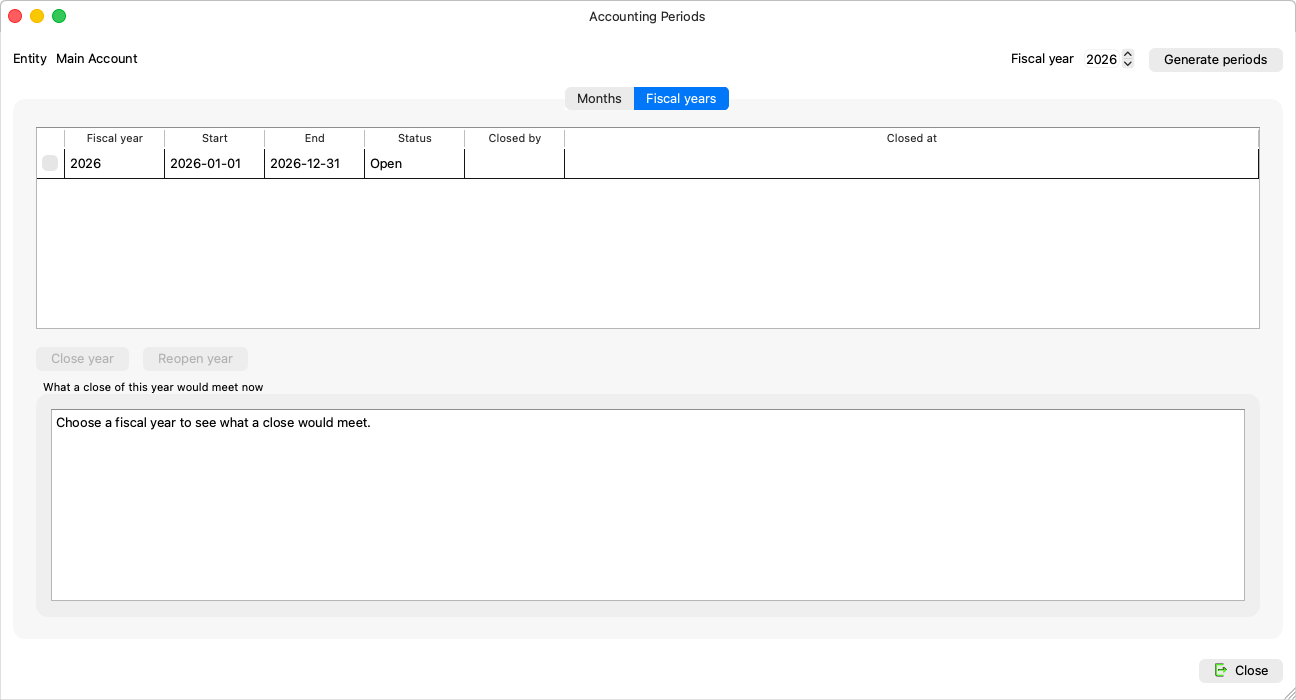
For a group administrator (the buttons show for no one else). Closing the year is the books' annual lock: the year's result to Retained Earnings, the balances into the next year — on the Fiscal years tab of the Accounting Periods window.
What the close does
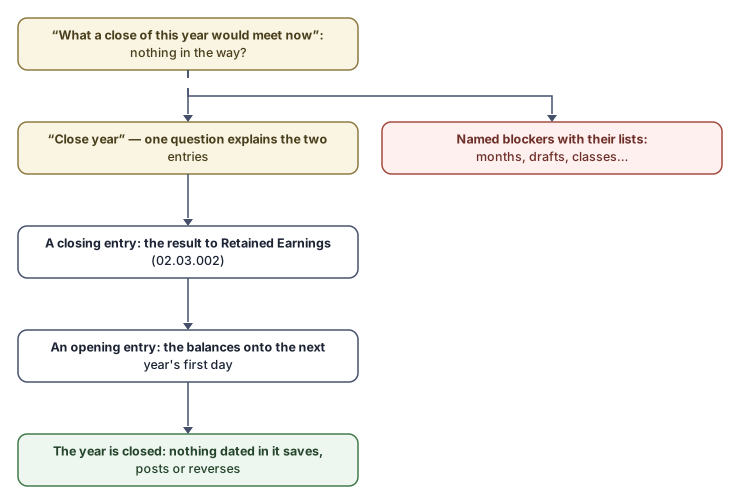
The Close year button (“Book the year's result to Retained Earnings, carry its balances into the next year and lock it.”) asks one question that explains everything:
“Close the fiscal year {year} ({start} to {end})?
A closing entry books the year's result to Retained Earnings (02.03.002), and an opening entry carries the balances into the next year's first day. Afterwards the year is locked: nothing dated in it can be saved, posted or reversed until a group administrator reopens it.”
At the Simple level, when months are still open, it adds: “Its months still open are closed with it: {periods}.” (At Professional the months are closed first, one by one: “At the Professional level each month is closed on the Months tab before the year.”)
What can stand in the way
The tab lists them up front, under “What a close of this year would meet now” — and “Nothing stands in the way of a close.” when the road is clear:
| Blocker | What to do |
|---|---|
| “Months without a period: {months}. Generate the year's periods first.” | Generating periods. |
| “Months not closed yet: {periods}.” | Simple closes them with the year; Professional from the Months tab. |
| “Draft entries dated in the year: {entries}. Post or delete them first.” | Closing a period walks through them. |
| “Accounts with entries but no account class: {accounts}. Set their class on the Properties tab of the Chart of Accounts.” | The class decides where an account falls in the close. |
| “An earlier fiscal year is still open: years are closed in order.” | Close the oldest first. |
| “The next year's first month is already closed, and the close books the opening entry there. Reopen that month, close this year, then close the month again.” | Exactly as it says. |
| “The chart has no Retained Earnings account (02.03.002) for the year's result. Contact support.” | One for the support team. |
A close launched despite a blocker always reads: “Nothing was closed. {reason}” — there is no half-done close.
What you see next
The year is Closed in the table, with its record: “Closed on {date} by {who}. Its result is booked to Retained Earnings and its balances are carried into the next year; nothing dated in it can be saved or posted.” The closing and opening entries show in the journal marked as the year-close's own: “This entry was booked by the close of a fiscal year. It is undone only by reopening that year, in Accounting Periods on the Fiscal years tab.”
And before the close, the card of the next year's first month reminds you: “Close the fiscal year {year} first: its close books the opening entry into this month.”
Common mistakes
- Closing the year before reviewing the adjustments — afterwards every change means reopening the whole year.
- Looking for the closing entry in the journal to correct it — it is not corrected: it is undone only by reopening the year.