Linking Konzepti documents
Who this page is for
Everyone who wants to attach a line's papers — the scanned vendor invoice, the payment slip — to its entry, invoice or voucher. The papers live in Konzepti's accounting archive (uploaded and managed there), and al-Shamil links them to the lines: the Documents button in the invoice windows (purchase and sales), the voucher windows (payment and receipt) and the journal.
What you need first
- A saved, clean line: “Save the line first: documents are linked to a saved line.” / “Save or discard the changes first.”
- Documents uploaded to the archive from Konzepti — all of them PDF files.
- A generated entry takes no documents: “This entry was generated from a document; link documents there.”
Steps
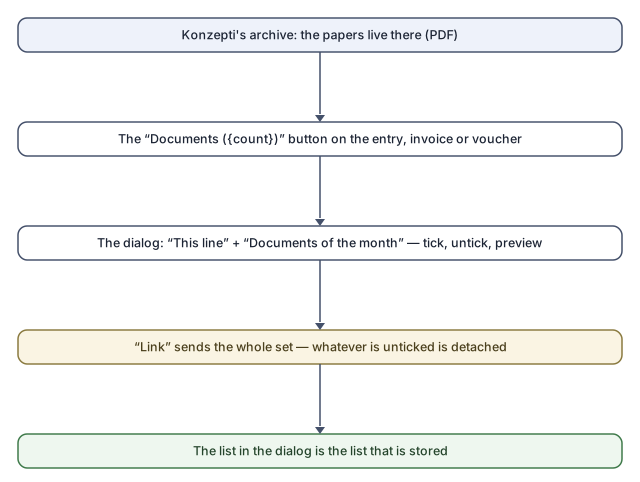
- Press Documents — the button carries the count: “Documents ({count})”. The “Documents — {line}” dialog opens.
- The upper section, This line: what is linked now. Below, Documents of the month: a month's page of the archive — “Previous month” and “Next month” move, “Load more” continues a long page, and “Show only free documents” will “Hide the documents another line already holds.”
- Clicking a document's name shows it (“Click a document's name to see it.”) — a PDF preview inside the dialog. (Konzepti records every opening, so the file is fetched only when asked for.)
- Tick the box of every document to link — or untick what you want detached.
- Press Link. The summary above it counts what will be linked to this line.
Linking sends the whole set: whatever is no longer ticked is detached — the final list in the dialog is the stored list.
Inherited from a voided original
A line that replaces a voided original shows its documents under “Inherited: still linked to the voided original” — “This line replaces a voided one. Its documents stay linked there and are shown here for reference.” They can be previewed, carry no checkbox, never enter what Link sends, and the button counts them: “Documents ({count}, {inherited} inherited)”.
Rules and refusals
| Sentence | Meaning |
|---|---|
| “One of the documents was just linked to another line. The list has been refreshed.” | A colleague got there first; a free document links to one line. |
| “A line that was posted keeps its documents.” | No detaching from a line that was ever posted. |
| “A voided line takes no new documents.” | The voided is for reference. |
| “Only the person who made this line or an administrator can remove its documents.” | The removal permission. |
| “The subscription is not active: documents can be viewed but not linked.” | Reading without writing. |
| “You do not have access to the accounting archive.” | The archive permission is granted in Konzepti. |
| “The archive is not answering. Try again in a minute.” / “Too many requests to the archive. Wait a minute and try again.” | Momentary pressure on the archive. |
| “A line can hold at most 200 documents.” | The per-line cap. |
| “This file cannot be previewed here.” | The file is not a viewable PDF; rare. |
And deleting a line that was never posted frees its documents — the delete question itself says so: “Its {count} linked document(s) become free to link to another line.”
Common mistakes
- Unticking a document by accident and pressing Link: it was detached — linking sends the whole set. Review the “This line” section before pressing.
- Looking for an upload button: uploading happens in Konzepti; al-Shamil only links.