Creating a payment voucher
Who this page is for
Everyone who records an expense paid in cash or from the bank: rent, an electricity bill, petty purchases. (Paying a recorded vendor invoice has its own page — Settling an invoice.)
Steps
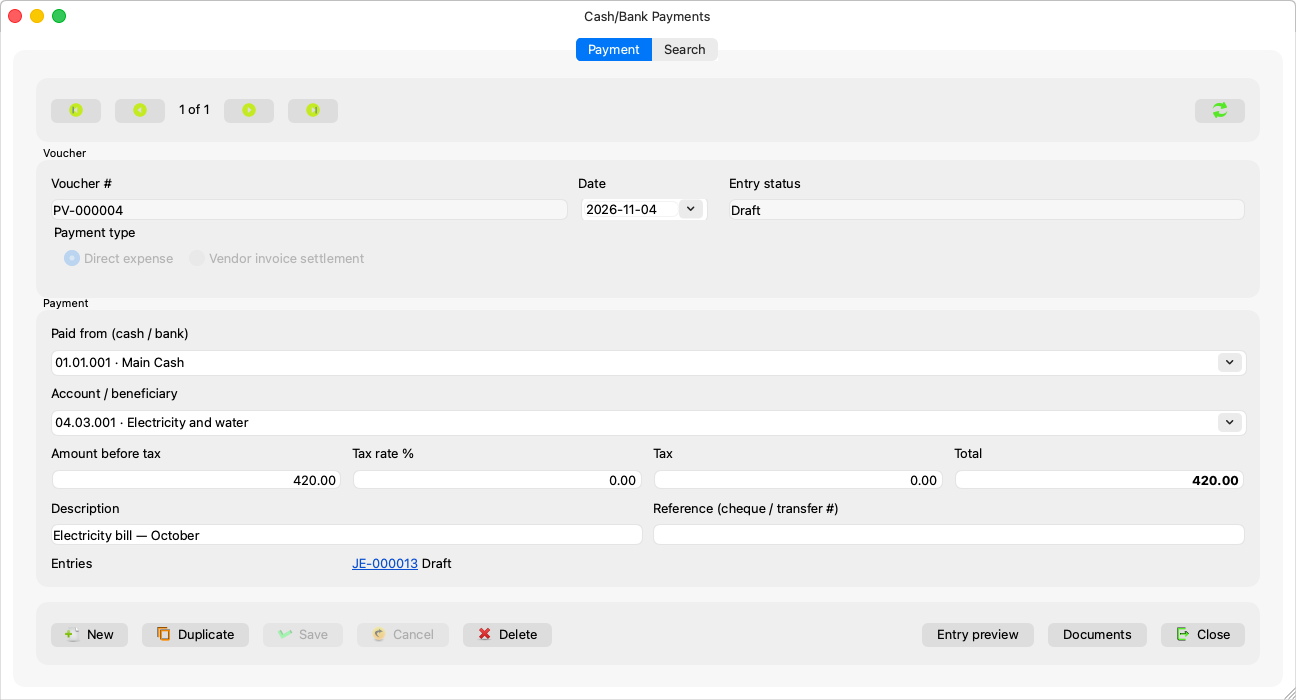
- New; the cursor lands in “Paid from”, and the date starts on the date of the last save.
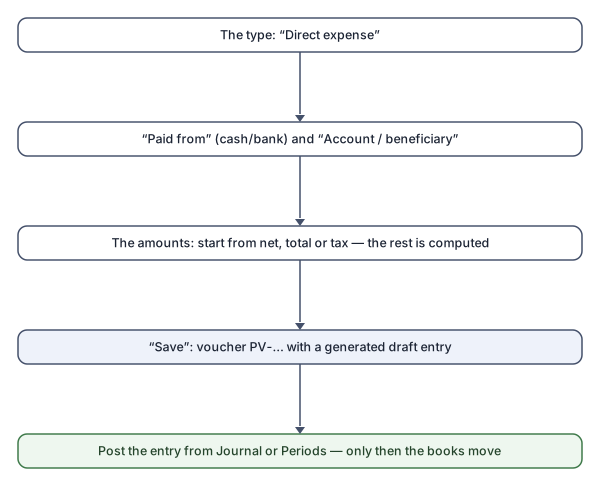
- The type: Direct expense.
- Paid from (cash / bank): a marked cash/bank account; “Paid from must be a cash or bank account. Mark it in the account's properties.”
- Account / beneficiary: the expense account — “Choose the account the payment is for.” A posting account other than the paying one: “The money cannot leave and arrive in the same account.”
- The amounts — four fields that compute each other, so start
from whichever you have:
- type the Amount before tax and the Tax rate %, and the tax and total are computed;
- or type the Total (what actually left), and the rest is derived from the rate;
- or correct the Tax by hand to match the paper — it stays as you typed it: “The tax was typed by hand; the rate is kept for reference.”
- The description and the reference (cheque / transfer number), then
Save: a draft entry is generated, and the voucher takes
its
PV-…number. Post the entry from the journal or the periods for it to enter the books.
Rules and refusals
| Sentence | What to do |
|---|---|
| “Choose a payment type.” | The type is required, and “The payment type cannot be changed after the first save.” |
| “Enter an amount above zero.” | The amount is zero or empty. |
| “The tax does not match the rate. Type the amount, total or tax again.” | The figures clashed; retype one and let the rest be computed. |
| “Set the Input VAT account in System Settings before saving a taxed payment.” | A one-time setting; an untaxed payment passes. |
| “The account is a group. Choose an account under it.” | Both accounts are posting accounts. |
| “The accounting period is closed.” | At the Simple level you are asked: “The accounting period this payment books into is closed. Reopen it and go ahead? You closed it; at the Simple level closing organises the books, it does not lock them.” |
| “This period is closing: a payment cannot be booked in it.” | A period in its closing takes no vouchers. |
And a date in a closed fiscal year refuses the save at both levels, as with entries.
Common mistakes
- Typing the total into “Amount before tax” on a taxed expense — start from the Total field and let the net be computed.
- Forgetting to post the generated entry: the voucher is saved, but the books do not move until its entry is posted.