General settings: navigation key and level
General settings
Who this page is for
Every user: the navigation key is your own setting. The accounting level belongs to the whole group, and only a group administrator changes it.
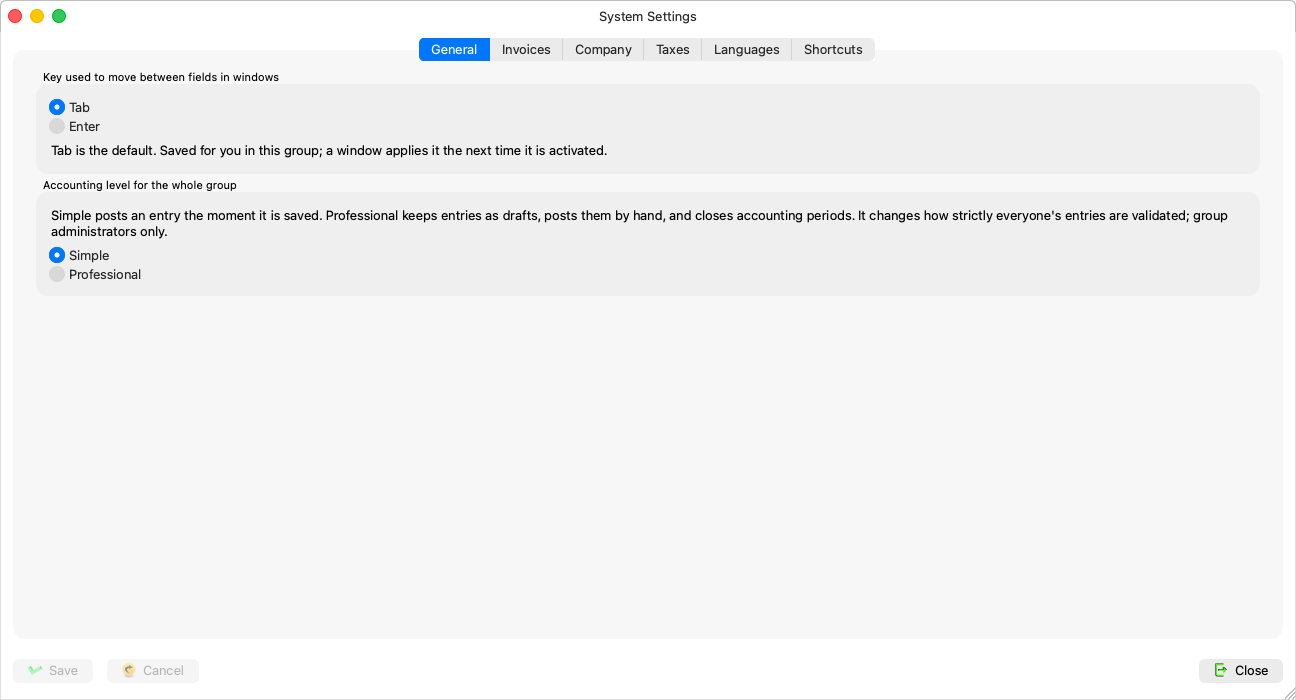
The key that moves between fields
“Key used to move between fields in windows” — two choices:
- “Tab moves to the next field (Enter presses the default button)” — the default.
- “Enter moves to the next field, like Tab”.
“Saved for you in this group; a window applies it the next time it is activated.” — in practice it reaches open windows the moment it is saved, because every key press reads the setting afresh. The full details are in Keyboard navigation.
The accounting level (whole group)
Two choices, each explained on screen:
- Simple — “An entry is posted the moment it is saved, and a period can close with drafts still in it”.
- Professional — “Entries are saved as drafts and posted by hand, and a period closes only when none are left”.
“It changes how strictly everyone's entries are validated; group administrators only.” What each level means, window by window, is in The accounting level: Simple and Professional.
The change is confirmed with its consequence before anything is saved — towards Simple:
“Switch the whole group to Simple? From now on an entry is posted the moment it is saved, and a period can close with drafts still in it. Windows already open keep working the old way until they are reopened.”
— and towards Professional in the matching words. Note the last sentence: the level reaches windows opened after it — close the transaction windows and reopen them after the change.
Rules and refusals
| Message | What it means |
|---|---|
| “Only a group administrator may change the accounting level.” | The level box does not even show for non-administrators; the server refuses regardless. |
| “That navigation key is not one the server knows.” / “That accounting level is not one the server knows.” | A stale value; update the app. |
| “The accounting settings were saved, your navigation key was not” | The one partial outcome — save your key again on its own. |
Common mistakes
- Changing the level in the middle of a working day with windows open: everyone sees different behaviour until they reopen their windows.
- Expecting the navigation key to apply to your colleagues — it is yours alone.