The group's subscription
The rule everything rests on: you pay, the group is the subscriber. The subscription belongs to the group, not your account; its plan sets its limits — seats, projects, media storage and the business tools — and if the payer leaves, the subscription remains the group's. (A dedicated concept page with the diagram comes separately.)
Who is this page for?
The group's leader and admin — and whoever will pay.
What you need first
A group you lead or administer, and a card Stripe accepts.
Subscribing
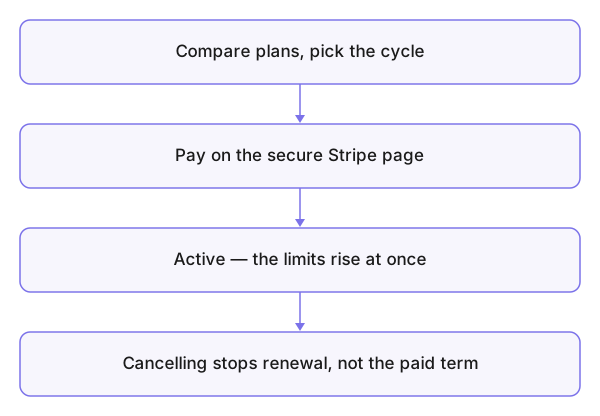
- Open your group, then Subscription in its menu.
- Compare the plans and choose.
- Choose your billing cycle — monthly or yearly.
- Pay with Stripe and finish on Stripe's secure page — your card data never passes through Konzepti at all.
What you see after
The subscription is active and the limits rise immediately, and the business database becomes available to create (the database). Your subscriptions across groups are gathered on the Subscriptions card of the dashboard.
Cancelling
On the same Subscription page. It stays active until the end of the paid period, then the group returns to the free tier's limits — data beyond them is not deleted, but adding beyond the limit stops, and the business tools running through the business service stop.
Common mistakes
- Subscribing from the account of an employee who later leaves, and assuming the subscription left with them — it is the group's.
- Expecting an instant refund on cancellation — cancelling stops the renewal.
- Hitting the seat limit through pending invitations and upgrading needlessly — check Group invitations first.