Account statement
Who this page is for
For whoever wants one account in detail: “One account's lines and running balance; a long one prints in parts” — the statement sent to a vendor, or used to reconcile a cash box.
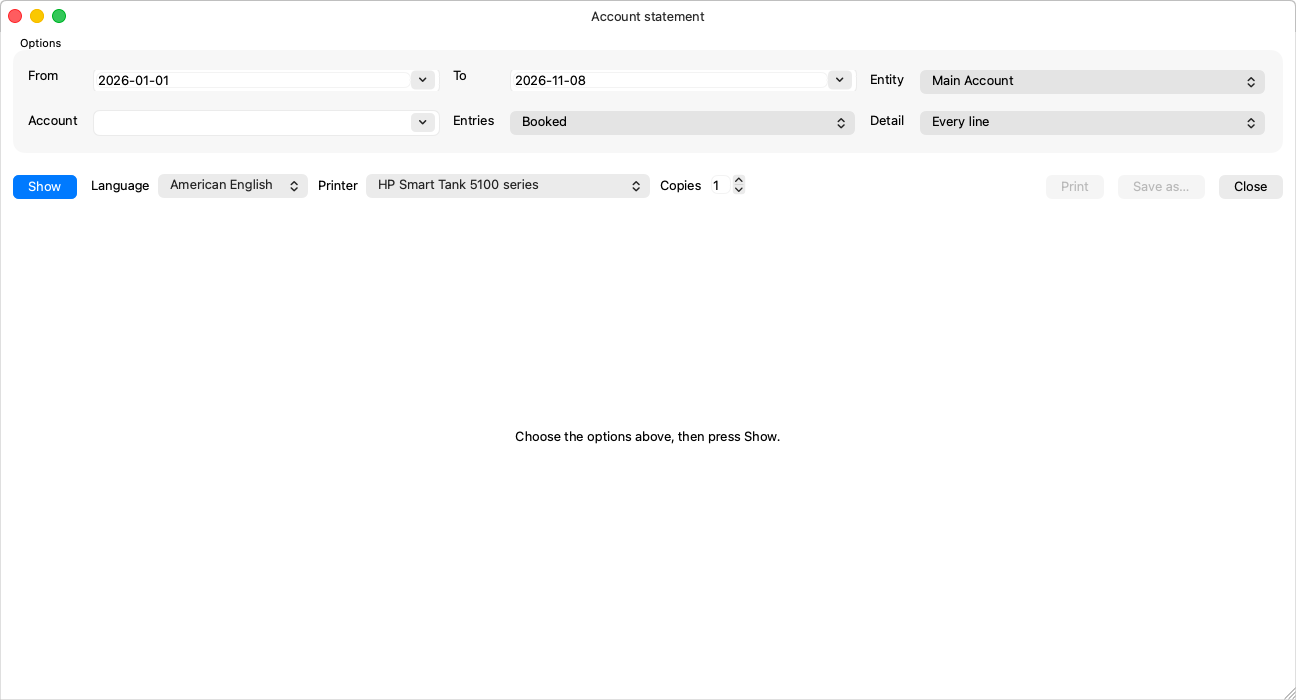
Options
| Option | Notes |
|---|---|
| From / To, Account and Entity (required) | The account is a posting account: “Choose a posting account, not a group.” |
| Detail | “Every line” or “One line a month” — the monthly summary of a long statement. |
| Entries | Booked by default; “Drafts can only be listed with All.” |
A statement longer than one file: parts
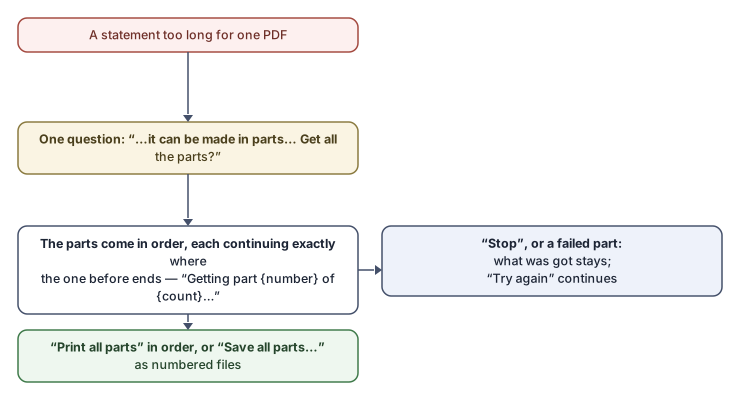
This is the one report that does not refuse length — it splits it. When one PDF cannot hold it, the application asks a single question:
“This statement is too long for one PDF. It can be made in parts, each continuing exactly where the one before ends ({count} parts). Get all the parts?”
Agree, and the parts are fetched in order (“Getting part {number} of {count}…”) and shown one at a time under the parts bar — “Previous part” and “Next part” page through them, and each part is headed “Part {number} of {count}: {start} – {end}”.
- Stop: “Stop after the part being made; the parts made so far stay” — and “Try again” carries on from where it stopped: “Stopped with {got} of {count} parts.”
- A part that failed: “Part {number} of {count} could not be made; the parts before it are kept.”
- Print all parts: “Every part to the printer, in order”.
- Save all parts…: “Every part as a numbered file in one folder” — and files already there by the same names are asked about: “Files of the same name are in this folder already ({count}). Replace them?”
The Show button always starts the statement over from the beginning.
Common mistakes
- Dodging the parts by widening the account — first try “One line a month” or a shorter period; the message itself suggests the way.