The main window
Who this page is for
Every new user who wants to know where everything lives.
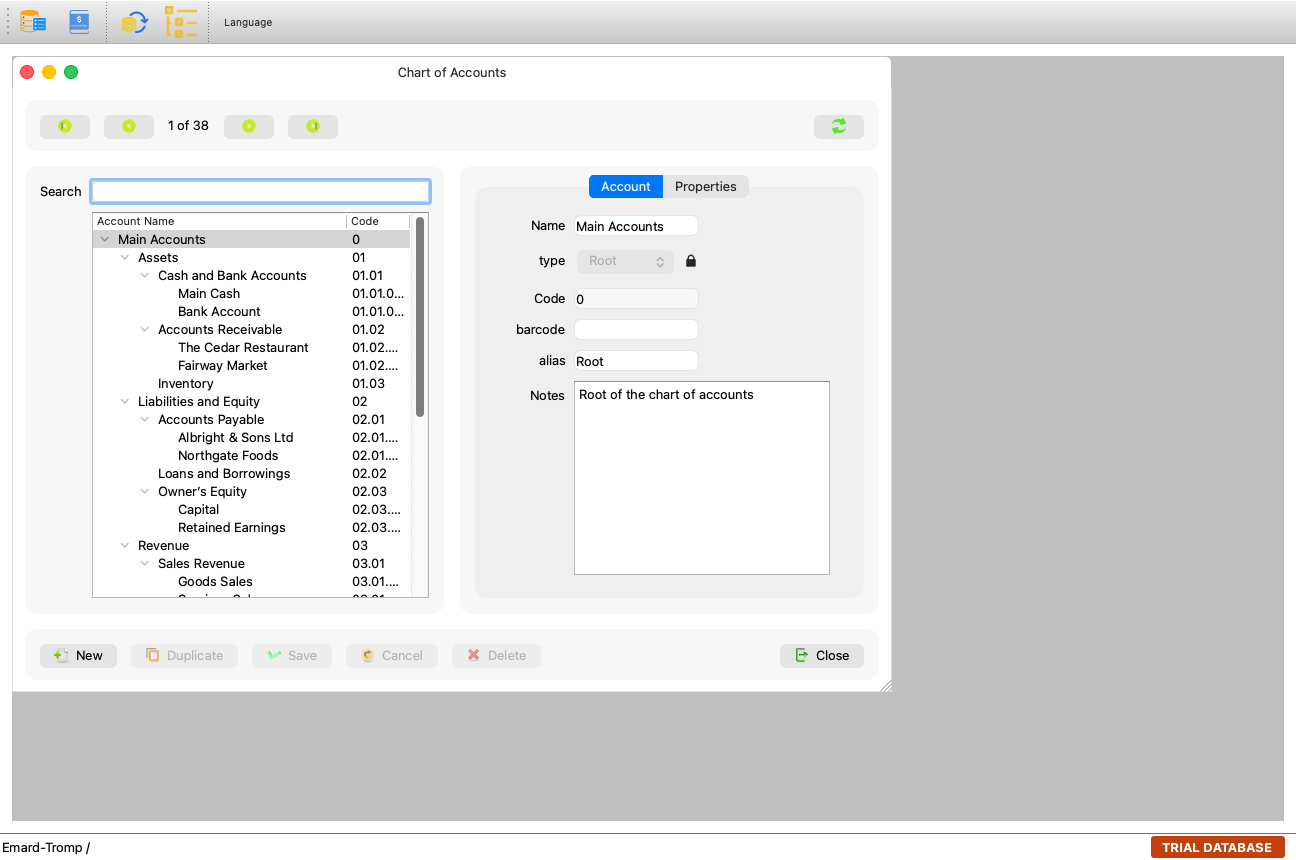
How the windows work
Every screen in al-Shamil is a child window inside the main window: it opens from the menus, moves and resizes inside it, and several windows can be open at once. The application remembers each window's size and position, so it comes back as you left it next time — even after the application is closed.
The main window's title carries the application's name, and if the group's database is a trial, “— TRIAL DATABASE” is appended to it.
The menus
| Menu | What is in it |
|---|---|
| File | Database List, Entities, the Language submenu, Sign out, Exit. |
| Master Data | Chart of Accounts, Accounting Settings, Accounting Periods, Currencies, Units, Products, Categories, Vendors, Customers. |
| Transactions | Journal Entries, Purchase Invoices, Sales Invoices, Cash/Bank Payments, Cash/Bank Receipts. |
| Reports | The group's reports: the journal, the ledger, the account statement, the trial balance, the financial statements, the VAT report and more. The list is read from the server when the menu opens. |
| Window | Cascade, Tile, Close All, the open windows numbered for switching between them, and About AlShamil (on a Mac, About moves to the application menu itself). |
Every menu item has an explanatory tooltip on hover — such as “Record cash and bank payments; the journal entry is booked for you” on Cash/Bank Payments.
The status bar
At the bottom of the window. It shows:
- Short success and notice messages while you work.
- The open group's subscription status (such as “active”).
- The permanent “TRIAL DATABASE” mark at its end as long as the group's database is a trial, with the tooltip: “The open group's database is a trial: what is entered in it is not the real books.”
About al-Shamil and the diagnostics
Window → About AlShamil shows the installed version. The Copy diagnostics button copies what the support team needs to understand a problem:
“Copies the version, the system and the recent log, for the support team. It never holds your password or sign-in.”
After copying, the status bar says: “Diagnostics copied. Paste them into your message to the support team.”
Common mistakes
- Hunting for a window “lost” behind the others — the Window menu lists the open windows; choose one to bring it forward, or arrange them with Tile.
- Opening the same window twice? It does not happen: choosing it from the menu brings the open one back.