Entities
Who this page is for
Anyone managing the entities themselves — creating, editing and deleting. Choosing the entity you work in is covered in Choosing the entity, and the concept in The group and its entities. It opens from File ← Entities.
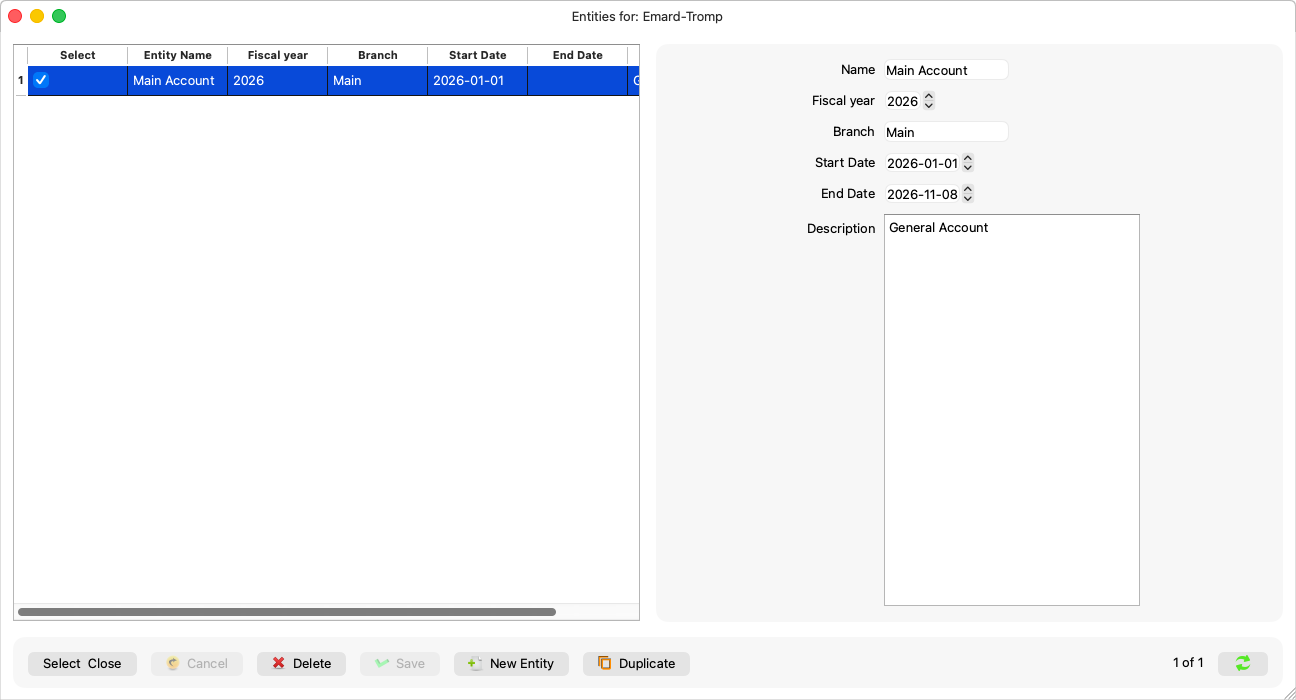
Fields explained
| Field | What it means |
|---|---|
| Name | The only required field: “An entity needs a name.” |
| Branch | The branch name, if any. |
| Description | Free text. |
| Fiscal year | The year number; empty when not needed. |
| Start date and end date | The bounds of the entity's year. The start matters: its fiscal years, periods and report defaults derive from it — an entity without one says, in Periods: “The entity has no start date, so its fiscal years cannot be worked out. Set it in Entities.” and in the reports: “This entity has no fiscal-year start. Set its start date in Entities.” |
A new entity starts with sensible dates for the current year — review them before saving.
Steps to create an entity
- New Entity, then the name and whatever fields apply.
- Save.
- Generate its periods before the first entry — Generating the periods — or the first entry is refused with the missing-period message.
Rules and refusals
-
Deleting an entity with any trace is refused with a sentence naming everything that keeps it:
“This entity cannot be deleted: it has journal entries, invoices or payments, an accounting period that is not open or not empty, or an invoice number already issued.”
Even an invoice number already issued keeps the entity — a number sequence is never erased.
-
“This entity no longer exists. The list has been read again.” — someone else deleted it.
Common mistakes
- An entity per small project: an entity is a full set of books with periods to manage — create one for a real fiscal unit, and use accounts or categories for finer detail.
- Forgetting to generate the periods after creating one.