Generated entries
Who this page is for
Everyone who opened an entry and found it locked with the notice “This entry was generated from a document. Change the document instead.”
What a generated entry is
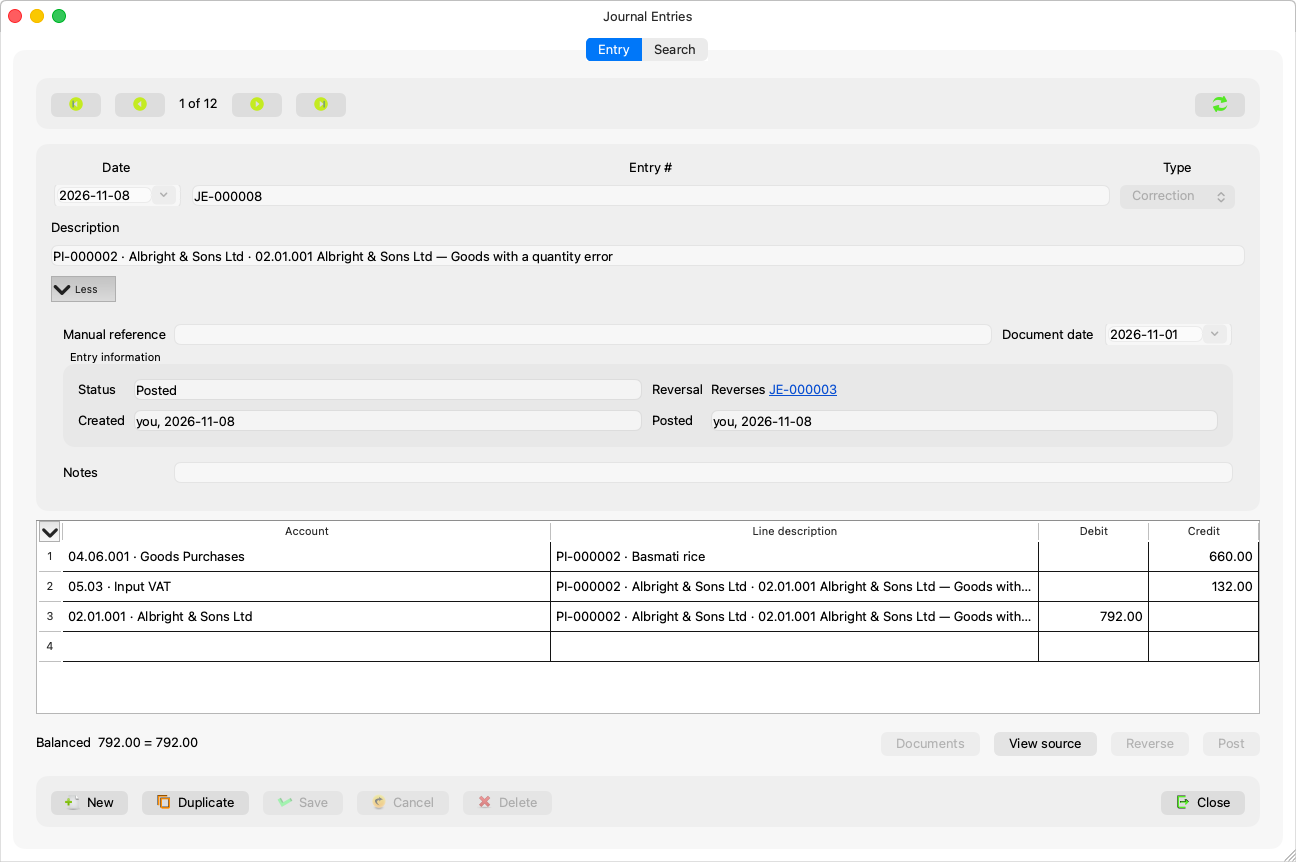
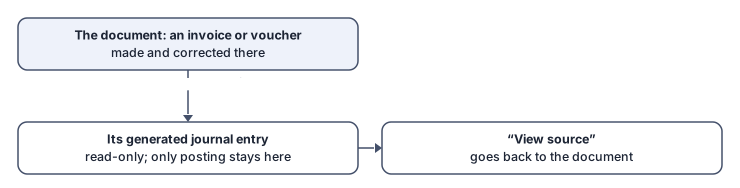
Purchase and sales invoices and payment and receipt vouchers have their entries built by the server itself. These entries appear in the Journal Entries window like any other — they are read, searched and counted in the reports — but they are changed only where they were born:
- The fields and the grid are read-only, and Delete and Reverse are disabled.
- Posting stays possible on a generated draft: posting belongs to the journal and the periods, not to the document.
- The window always says: “This entry was generated from document {type} #{id}. It is changed from that document, not here.”
View source
The View source button opens the entry's document in its own window: a payment voucher in Cash/Bank Payments, a receipt in Cash/Bank Receipts, an invoice in its window (the app reads the invoice's type and the voucher's direction itself). Correct it there — by void and reissue when the document is posted — and the entries follow.
The year-close entries
Entries generated by the close of a fiscal year say: “This entry was booked by the close of a fiscal year. It is undone only by reopening that year, in Accounting Periods on the Fiscal years tab.” — no reversing, no deleting, not even from their source.
Common mistakes
- Trying to correct an invoice's entry from the journal — correct the invoice; the entry follows.
- Booking a parallel manual entry meant to patch a generated one: it doubles the effect instead of fixing it.