Choosing the group (Database List)
Choosing the group
Who this page is for
Every user. The group is one business's books: an independent database with its own accounts, entries and members. Before any data screen can open, a group must be open.
What you need first
- A successful sign-in — Signing in.
- Membership in at least one group. Groups and their members are managed in Konzepti.
Steps
-
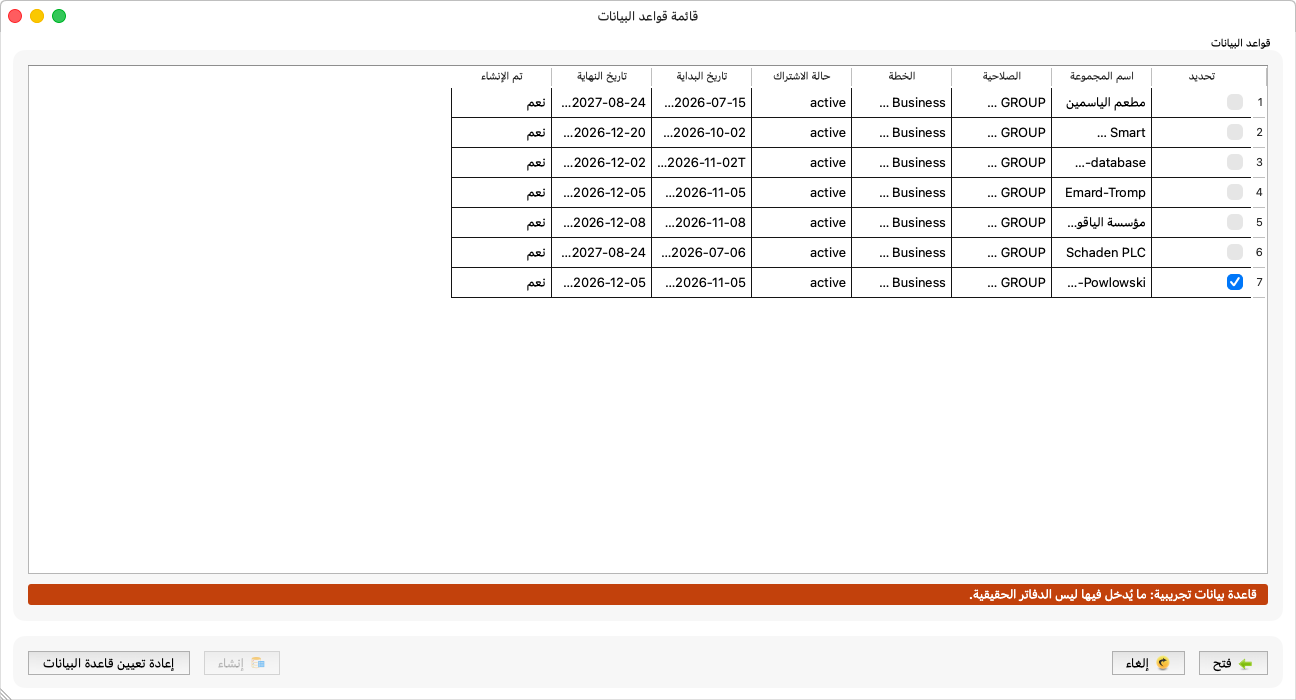
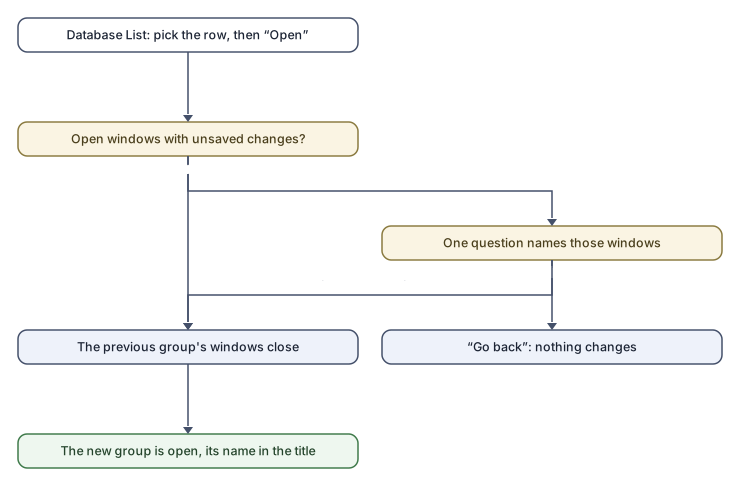
At sign-in the application opens the last group you opened automatically. To open another: File → Database List.
-
Choose the group's row in the table.
-
Press Open.
If you have windows open on another group, the application asks one question naming the windows with unsaved changes:
“Opening another group closes every window. These windows have unsaved changes, which will be lost:”
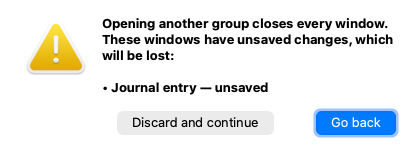
Go back leaves everything as it is; Discard and continue closes the windows and opens the group. Opening the group that is already open closes nothing.
What you see next
The group's name in the main window's title, and its subscription status in the status bar. The next step is usually Choosing the entity.
Columns and buttons explained
| Column | What it means |
|---|---|
| Group Name | Its name as in Konzepti. A group whose database is a trial shows a “Trial” mark next to the name, and a line under the table says: “Trial database: what is entered in it is not the real books.” |
| Role | Your role in the group (member, administrator…). Some actions — resetting the database, reopening periods — are for a group administrator only. |
| Plan, Subscription Status and its dates | The group's subscription as the server sees it. |
| Database Created | Whether this group has a database at all. |
| Button | What it does |
|---|---|
| Open | Opens the selected group. |
| Create | Creates a database for a group that has none — see Creating the database. |
| Reset database | Wipes a trial database and starts it afresh; group administrators only, and when the button is disabled its reason is in its tooltip (the trial-database pages explain it in detail). |
Rules and refusals
- The subscription is not active: the group opens and its data can be read, but “This group has no active subscription, so the data is read-only.” — the save, new and delete buttons are disabled. The subscription is managed from the group's page in Konzepti, not from al-Shamil.
- “Database not set up”: the group has no database yet. If its subscription is active, the application offers to set it up right away; otherwise it says: “It is set up from File → Database List, which needs an active subscription. Ask the group's administrator if you cannot do it yourself.”
- “Access revoked”: you are no longer a member of the group. “Its data has been closed and is no longer kept on this computer. Choose another group, or ask the group's administrator.” All its windows close and the Database List opens.
- “Please select a group first.”: you pressed Open with no row selected.
Common mistakes
- Entering data into a trial database thinking it is the real books — watch for the “Trial” mark in the list and in the main window's title.
- Looking for a subscribe button in the application. Subscribing happens in Konzepti.