Previewing and posting the invoice
Who this page is for
Everyone who reviews what the invoice will book and then fixes it into the books. It applies to purchases and sales alike.
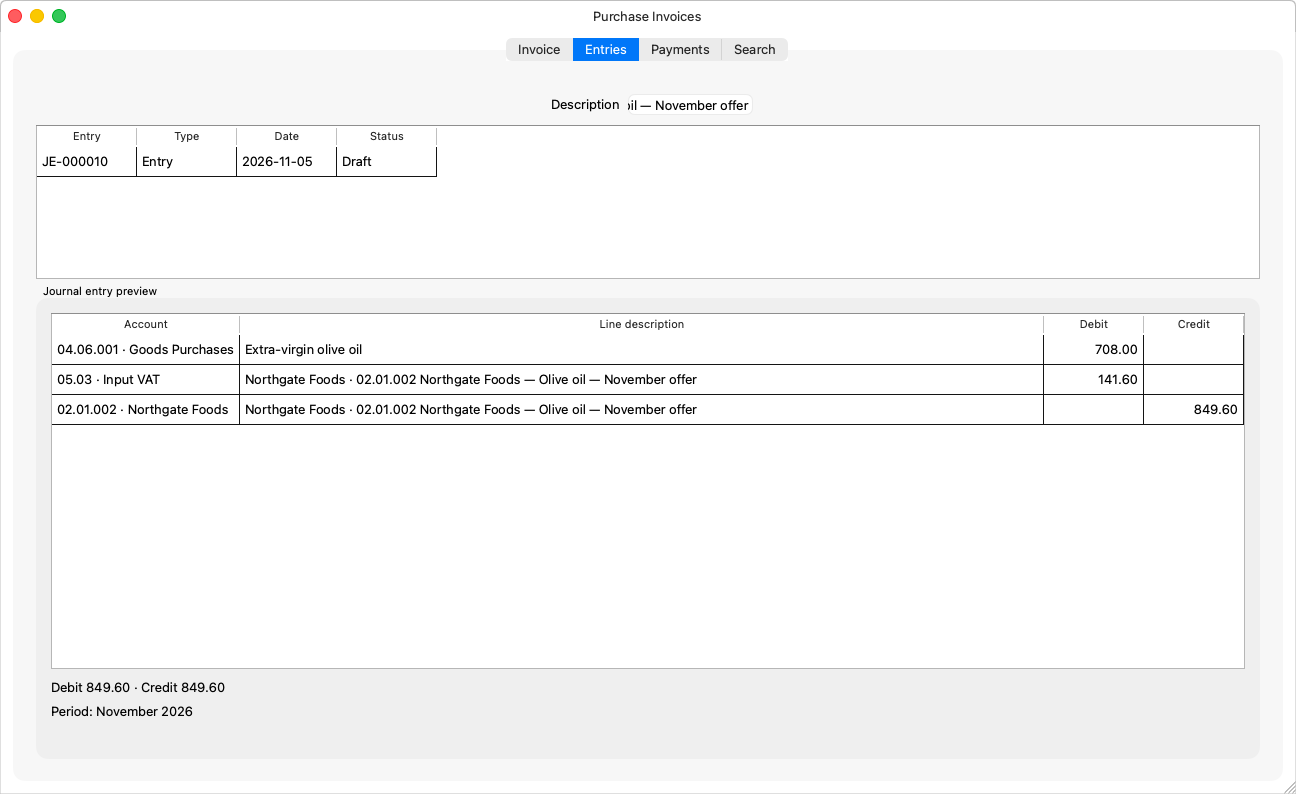
The preview
Two ways, neither of which saves anything:
- The live preview on the Entries tab: the “Journal entry preview” refreshes after every edit and shows the entry's lines — the accounts, debit and credit, “Debit {debit} · Credit {credit}”, and “Period: {name}”. It shows on a new invoice or a draft only.
- The Preview button: the same “Entry preview” dialog on demand — “What saving would book now. Nothing is saved.”
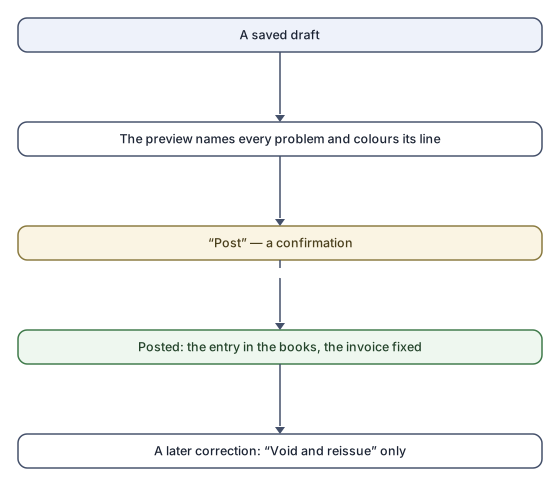
Whatever blocks the save is listed under “Saving now would be refused:”, and the lines concerned are coloured in the grid; a problem on one line reads “Line {line}: {text}”. A refusal pointing at a column you hid shows it to you temporarily.
Posting
-
Save the invoice; Post is offered only on a clean, saved draft.
-
Press Post. The app asks:
“Post invoice {number}? A posted invoice cannot be changed: to correct it later, it is voided and reissued.”
-
Confirm. “Invoice posted.” — the status is Posted, the entry is in the books, and the invoice is fixed: every later change goes through void and reissue.
Rules and refusals
| Sentence | What to do |
|---|---|
| “Only a draft can be posted.” | The invoice is already posted, or voided. |
| “The entry this invoice books does not balance. Check the lines' amounts and taxes.” | Usually an old edit's leftover; review the lines and the preview. |
| “The period of this date is closed.” | At the Simple level the app asks: “The accounting period this invoice books into is closed. Reopen it and go ahead? At the Simple level closing organises the books, it does not lock them.” At the Professional level the period is reopened from its own window. |
| “A taxed invoice needs the Input VAT account (System Settings).” | A one-time setting. |
| A refusal the window has no sentence for | “The server refused the invoice for a reason this window cannot word yet. Check the invoice, or contact support if it persists.” |
Common mistakes
- Ignoring the preview and then wondering at the refusal: the preview names the problem and colours its line before anything is sent.
- Expecting to edit after posting — a posted invoice is fixed; a mistake found late is corrected by void and reissue.