Support tickets
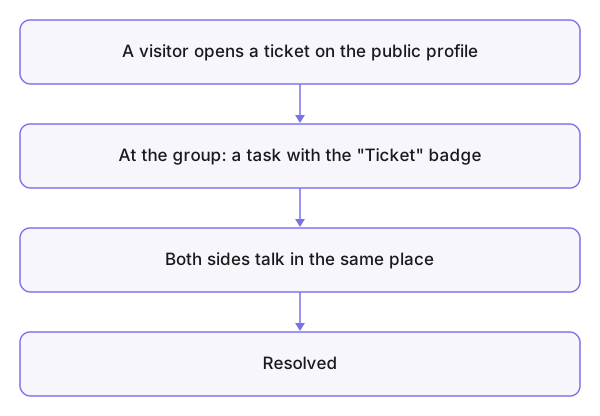
When you need something from a group — a question, a bug report, a request — you open a Support Ticket from its public page. On the group's side the ticket becomes a task carrying a Ticket badge, and you both talk in it until it is resolved. Two sides, one channel: you follow from your dashboard, they work in their tasks. (The concept page with the diagram sits under Concepts.)
Who is this page for?
Anyone who opened a ticket with a group, or is about to.
Opening a ticket
- From the group's public page press Support Ticket.
- Choose the type — Question, Bug, a report, a request… — write the Message, then Send.
Following up
The Support Tickets list on your dashboard shows all your tickets: group, status, last update. Open a ticket to read the replies and answer — the whole exchange lives in the ticket, and you see First response and Resolved as the group reaches them.
Common mistakes
- Opening a second ticket for the same matter instead of replying in the first — the thread scatters.
- A ticket with no detail ("it doesn't work") — say what you did, what you expected, what happened.