Your invitations
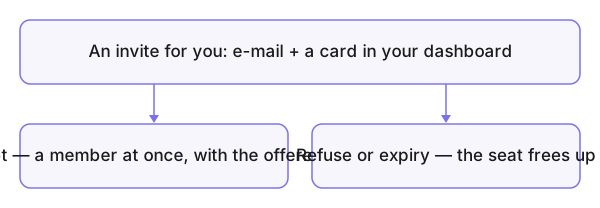
Every invitation addressed to you arrives twice: a message in your inbox, and the Invitations received card on your dashboard if you have an account. The card is the reliable one — emails get lost, it does not.
Who is this page for?
Anyone who received an invitation or sent one.
Accepting and declining
The card shows the inviting group, the offered role and the invitation's period; you accept or decline right there. Accepting makes you a member immediately with the offered role, and the group appears under Your Groups.
Invited on an email with no account? Create the account with that very address (Creating an account) and the invitation is waiting.
Invitations sent
What you sent yourself sits under Invitations sent; all of a group's invitations live in its table — Group invitations.
Common mistakes
- Letting an invitation expire — expired? Ask for a new one.
- An account under a different email than the invitation's — so the card never shows it.