Reopening the fiscal year
Who this page is for
For a group administrator. A closed year is reopened to correct what came to light after its close — an exceptional act, recorded with its reason.
Steps
-
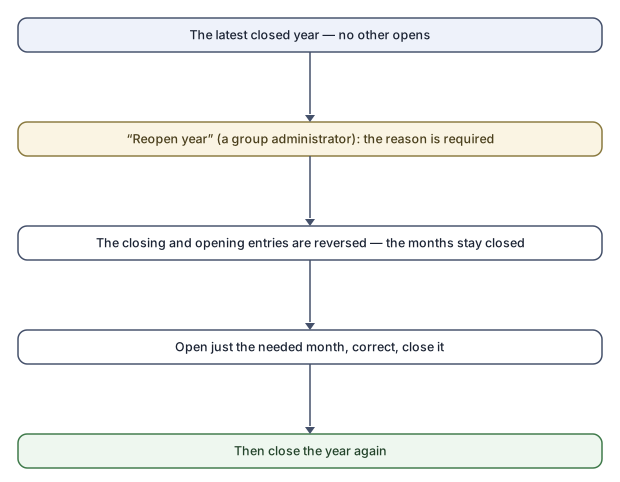
On the Fiscal years tab select the latest closed year and press Reopen year.
-
The “Reopen the fiscal year {year}” dialog asks for the reason — required: “A reason is required to reopen a fiscal year.”
-
Confirm. The application says:
“The fiscal year {year} is open again. Its closing and opening entries are reversed; its months stay closed, so reopen on the Months tab each one you need to change.”
-
Reopen the month you need, correct, close the month, then close the year again.
Rules and refusals
| Message | Meaning |
|---|---|
| “This fiscal year is not closed.” | There is nothing to open. |
| “A later fiscal year is closed: only the latest closed year can be reopened.” | Years open newest first, as they closed in order. |
| “A reason is required to reopen a fiscal year.” | Write the reason. |
Common mistakes
- Expecting the months to open with the year — they stay closed on purpose; open only what you need.
- Forgetting to close the year after the correction: the next year's opening balances were reversed with the reopen, and they only return when it is closed again.