Currencies
Who this page is for
Anyone reviewing the group's currencies or adding one. It opens from Master Data ← Currencies. A new database comes with its currencies, among them the main currency chosen at creation — the currency of the books.
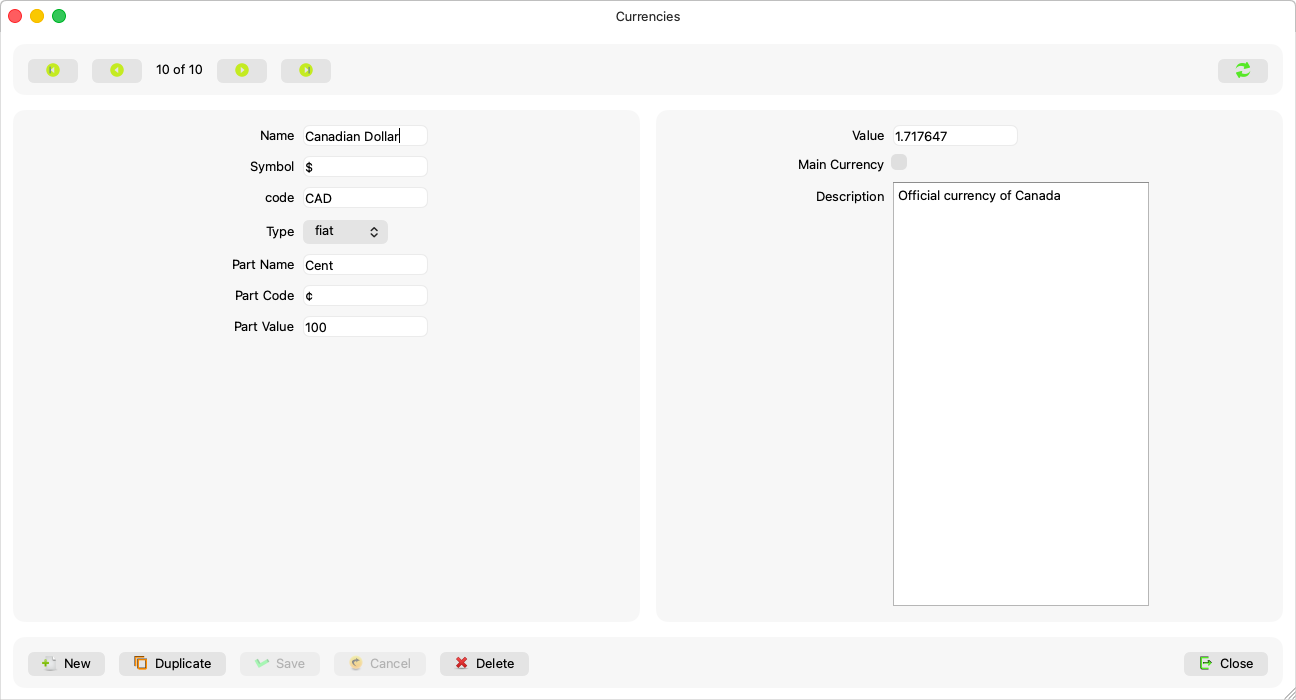
Fields explained
| Field | What it means |
|---|---|
| Name | Required: “A currency needs a name.” |
| Symbol and code | The display symbol (such as kr) and the ISO code (such as SEK). |
| Type | “fiat” or “crypto”. |
| Fraction name, fraction symbol and fraction value | The smallest part (öre, cent) and how many parts make one unit. |
| Main currency | The mark of the books' currency — one per group. |
Rules and refusals
- The books are in the main currency alone today: invoices book in it until exchange rates are applied — Currency (concept). Adding a currency here makes it available wherever a choice is offered, no more.
- Deleting the main currency is disabled with the reason in the button's tooltip: “The main currency cannot be deleted: the books are kept in it.”
- Deleting a used currency is refused: “This currency cannot be deleted: it is the main currency, or journal entry lines, parties, invoices, products or prices use it.”
- “This currency no longer exists. The list has been read again.” — someone else deleted it, and the list refreshed itself.
Common mistakes
- Expecting that adding a currency enables foreign-currency invoices — it does not; conversion waits for exchange rates on the server.