The Accounting Settings window
Who this page is for
Every user who wants to know where each setting lives and who sees it. It opens from Master Data ← Accounting Settings (the window's title: “System Settings”).
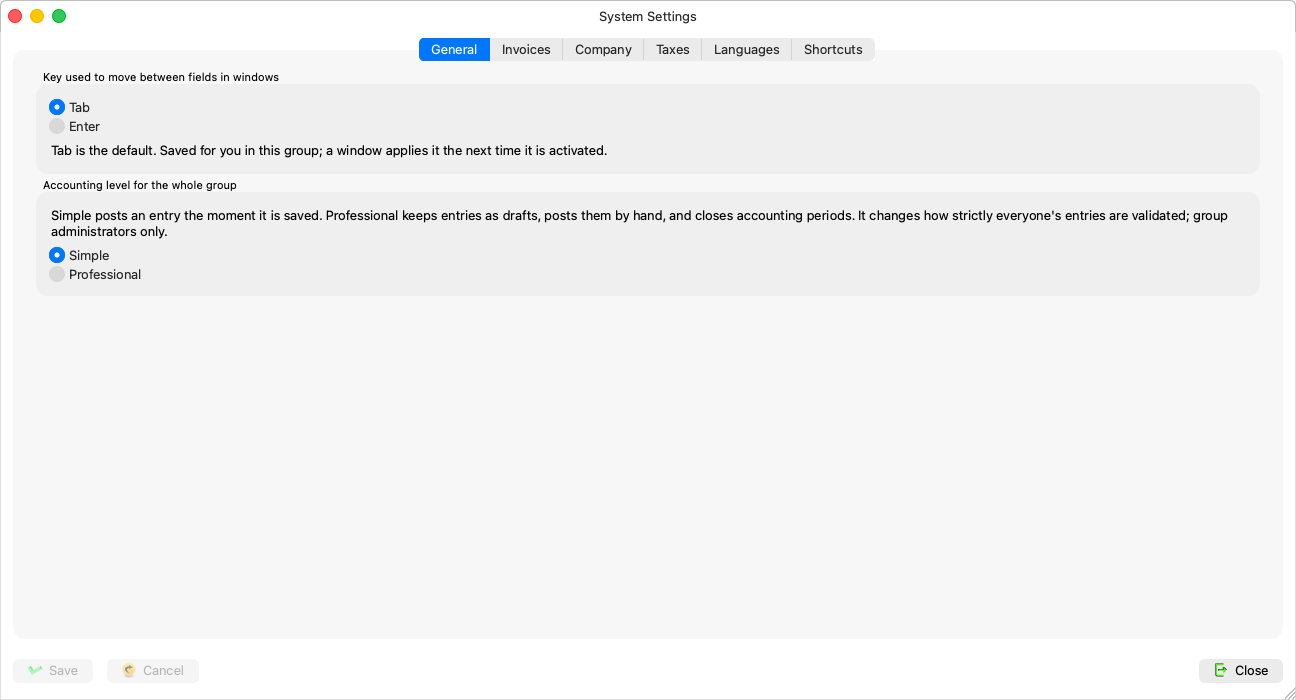
The tabs and who sees them
| Tab | What it holds | Who sees it |
|---|---|---|
| General | The navigation key and the accounting level — General | Everyone |
| Invoices | Invoice defaults and the parent groups — Invoice defaults | Group administrators |
| Company | The country, payment details, seller and logo — Company | Group administrators |
| Taxes | The two VAT accounts — Taxes | Group administrators |
| Products | “There are no product settings yet. The default accounts of product categories and products will be set here.” — hidden from everyone until it holds a setting | — |
| Languages | The group's data languages — Data languages | Everyone (changing is for group administrators) |
| Shortcuts | The shortcuts table — Keyboard shortcuts | Everyone |
Saving is all or nothing
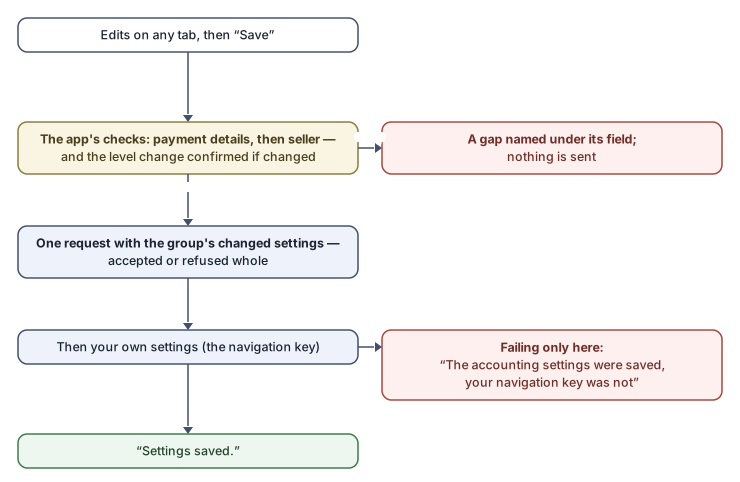
One Save button for the whole window (except the logo and “Save languages”, each with its own):
- The app's checks run first (payment details, then seller details), then the level-change confirmation if the level changed.
- Then one request with every changed group setting — accepted whole or refused whole, so half a settings save never happens.
- Then your own settings (the navigation key). The only possible partial outcome is the first succeeding and the second failing, and it has its own plain sentence: “The accounting settings were saved, your navigation key was not”.
On success: “Settings saved.” — and closing the window with changes asks: “The settings have unsaved changes. Close and discard them?”
Rules and refusals
- “Only a group administrator may change these settings.” — and what you may not change does not even show.
- “This group has no active subscription, so the data is read-only.”
- A server refusal of a specific setting shows its sentence under a failed-save heading (“Failed to save the accounting settings”) — the following pages list each tab's sentences.