Bookings and appointments
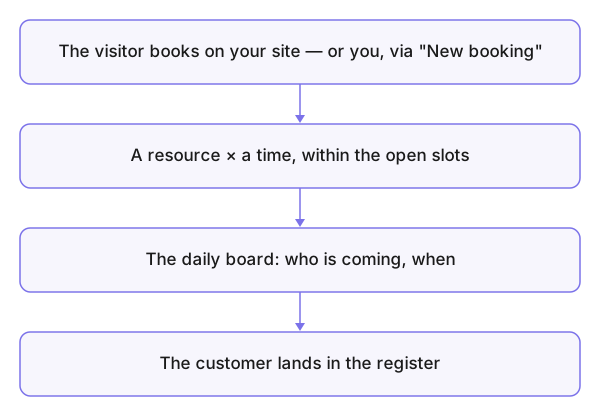
The Bookings tool runs what gets booked with you: the resources (a table, a staff member, a room, a vehicle), their time slots, their customers, and the day's board. The customer books from your connected external website (the website connection), you manage from here — and add what came in by phone with New booking.
Who is this page for?
The business group's admin and front-desk staff. Needs an active Business subscription, and a connected website to receive public bookings.
The pieces
- The resources — what gets booked. The default resource type is set in the panel settings so you don't re-pick it every time.
- The slots — when booking is possible: working days and durations.
- The daily bookings board — your day hour by hour: who is coming, on which resource.
- The customers — the record of who booked with you.
Restaurant vs other businesses
- The restaurant: the resource is a table, the booking is a party size at a time.
- Everyone else: the resource is a staff member for appointments, or a room or vehicle — one concept: resource × time.
Common mistakes
- Slots that don't match your actual hours — the public books a time you don't work.
- "The group is full" while hunting an old booking — usually the displayed week isn't the booking's week; check the date before doubting the data.
Related pages
Connecting a website · The panel settings · Customer messages