Creating a sales invoice
Who this page is for
Everyone who issues an invoice to a customer. The steps are the purchase invoice's — this page stops at what belongs to selling.
Steps
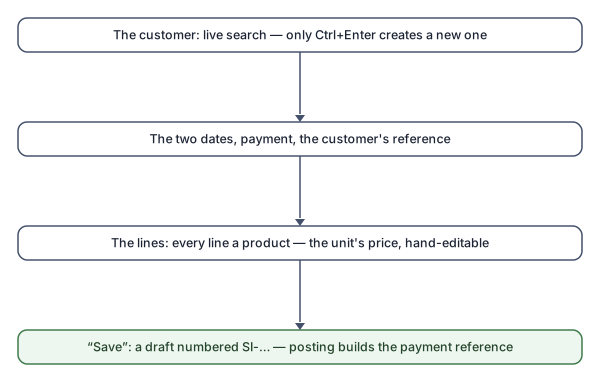
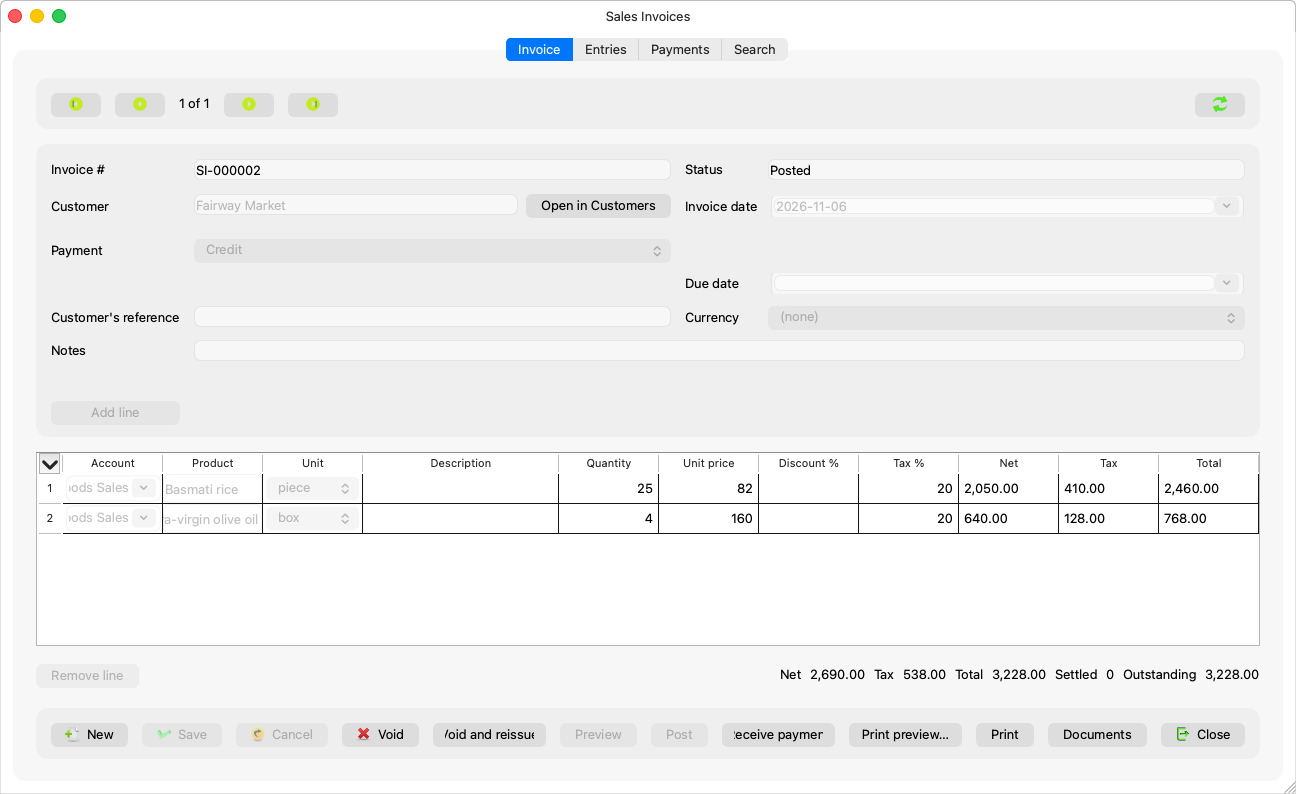
- New; the cursor lands in the customer field. A name that matches nobody opens the customer-finder dialog — Enter selects an existing name, and only Ctrl+Enter creates a new customer (“Ctrl+Enter creates a new customer with this name.”).
- The two dates, the payment (credit/cash) and the description — as in purchases.
- The lines: every line is a product. Choosing the product fills the unit, and the price starts from the unit's default sales price and stays hand-editable. A line without a product is coloured before anything is sent: “Line {rows} has no product: every line of a sales invoice needs one.” (Selling services other than products comes in a later version; until then a service is defined as a product in the catalogue.)
- Review the live preview on the Entries tab, then Save: a
draft with an
SI-…number. Posting is as in Preview and post.
The customer's account
The server books the invoice against the customer's receivable under the customers' account group; a customer with more than one shows the “Receivable account” list, and one with none: “This customer has no receivable account yet. Open it in Customers and add a customer account.”
Rules and refusals
Everything from purchases applies, and selling adds:
| Sentence | Meaning |
|---|---|
| “Choose the customer.” | A credit invoice needs a customer; a cash one does not. |
| “Every line of a sales invoice needs a product.” | Complete the product or remove the line. |
| “Set the {setting} in the settings before issuing a sales invoice.” | The payment details are missing — Accounting Settings ← Company. |
| “The Swedish payment reference (OCR) cannot carry an entity number above 999, so this entity cannot issue sales invoices. Please contact support.” | A rare case; one for the support team. |
A new sales invoice's date starts on the date of the last save of sales invoices — each type keeps its own.
Common mistakes
- Trusting the default price without reviewing it — it is a suggestion from the product's card, and editing it by hand is intended and allowed.
- Creating a new customer for an existing name spelt differently from the finder dialog.