The Sales Invoices window
Who this page is for
Everyone who issues invoices to customers. It opens from Transactions ← Sales Invoices. The window is the purchase window itself — The Purchase Invoices window explains the tabs, totals and buttons — and this page covers what differs in selling only.
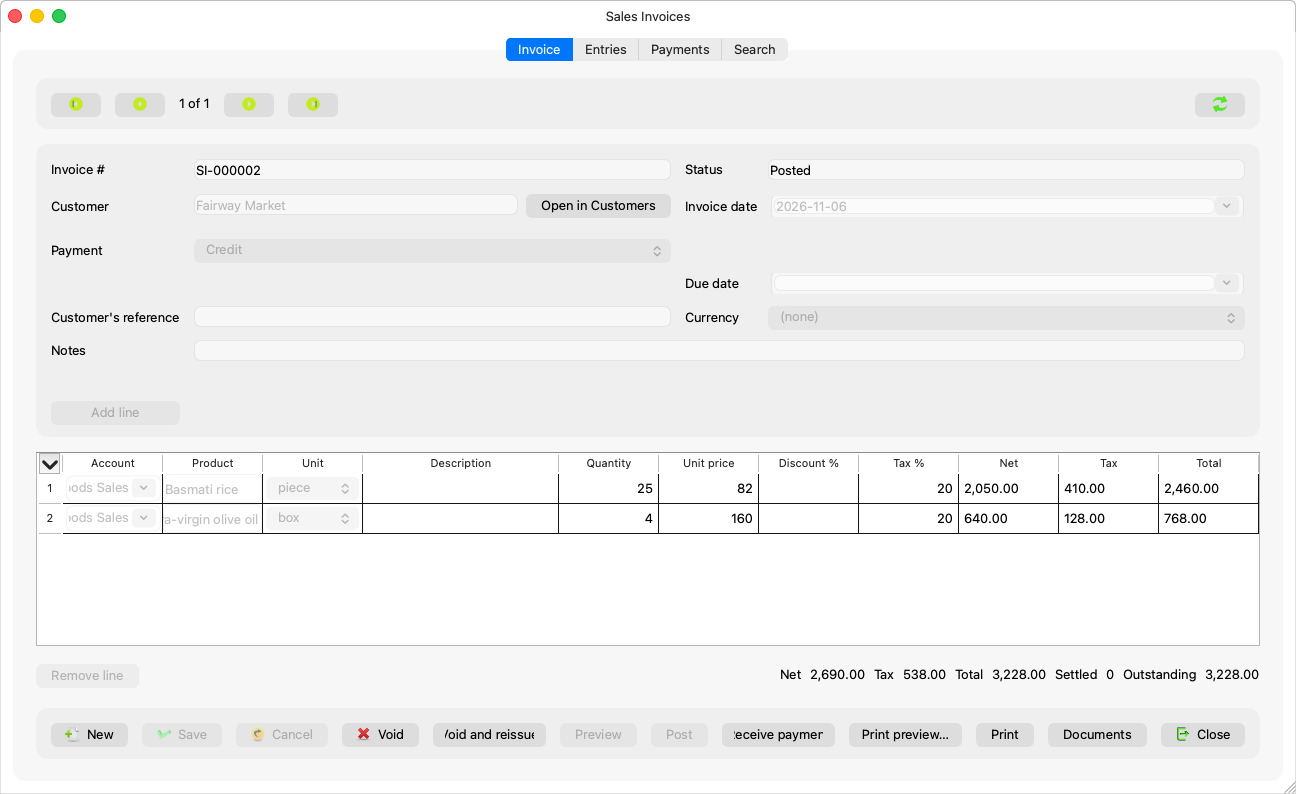
What differs from purchases
| There | Here |
|---|---|
| The vendor (“Type to search the vendors”) | The customer (“Type to search the customers”, “Open in Customers”) |
| The payable account | The receivable account: “Choose which of the customer's receivable accounts this invoice books against.” |
| Input VAT | Output VAT: “A taxed sales invoice needs the Output VAT account. A group administrator sets it in Master Data → Accounting Settings.” |
A PI-… number |
An SI-… number, from the server on save, always in Latin digits |
| The Pay button | A Receive payment button opening a receipt voucher — Collecting a sales invoice |
| The vendor's invoice number | Customer's reference: the customer's order reference with you |
And selling adds three things:
- Every line needs a product — sales are product-only; Creating a sales invoice.
- The payment reference, shown on the posted invoice — The payment reference.
- Printing: “Print preview” (Ctrl+Shift+P) and “Print” (Ctrl+P), for sales only — the server builds the invoice's PDF. “Save the invoice first: only a saved invoice can be printed.”
Before the first sales invoice
- The payment details in Accounting Settings ← Company (the country and its accounts): an invoice without them is refused and the refusal names the missing field — “Set the {setting} in the settings before issuing a sales invoice.”
- The seller details (name, address and numbers) are needed for printing.
- The customers' account group is configured, or: “The account group for customers is not configured. A group administrator sets it in System Settings (Master Data → Accounting Settings).”