Creating an account
Your Konzepti account is one, however many groups you have: with it you sign in, and on it your memberships, tasks and subscriptions are gathered.
Who is this page for?
Anyone without an account yet. Invited to a group by email? Create the account with the very email address the invitation reached — you will find it waiting after you sign in.
Steps
- Open
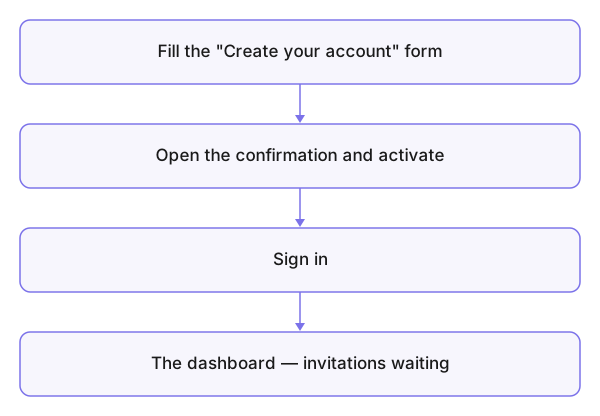
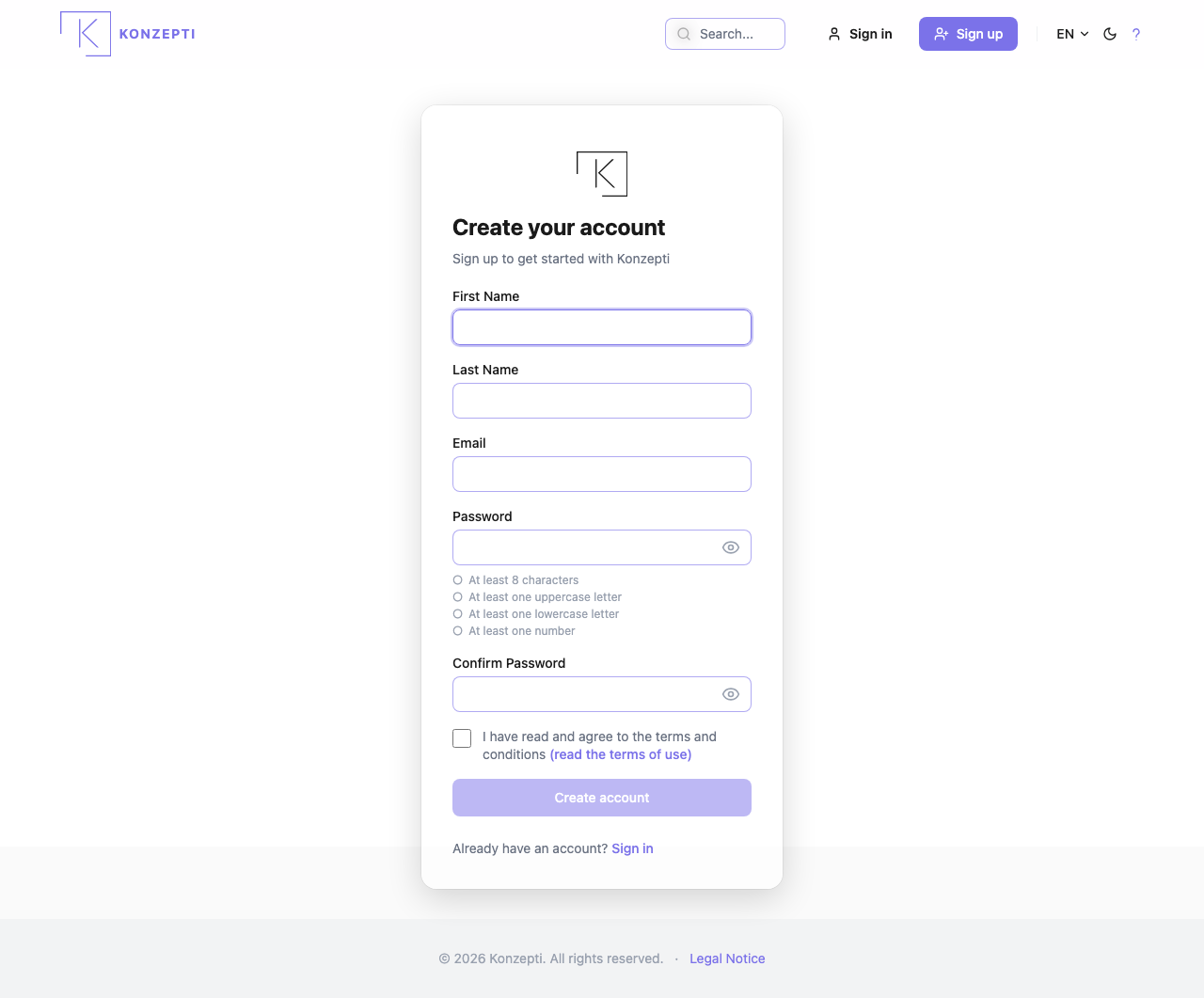
konzepti.comand press Sign up at the top of the page. - Fill in First Name, Last Name and Email.
- Type your Password and repeat it under Confirm Password — the rules sit below the field: at least eight characters, with an upper-case letter, a lower-case letter and a digit.
- Agree to the terms of use, then press Create account.
- Open the confirmation message in your inbox and press the activation link.
What you see after
Once activated, sign in (Signing in) and you reach the dashboard.
Common mistakes
- A typo in the email — so the activation message never arrives; check what you typed before sending.
- Waiting for the message in the inbox while it sits in spam.
- Creating a second account with another email instead of recovering the password — resetting it is faster.