Product prices and unit factors
Who this page is for
Anyone deciding which units a product sells in and at what prices. The Prices tab of the Products window, on a saved product with a clean form.
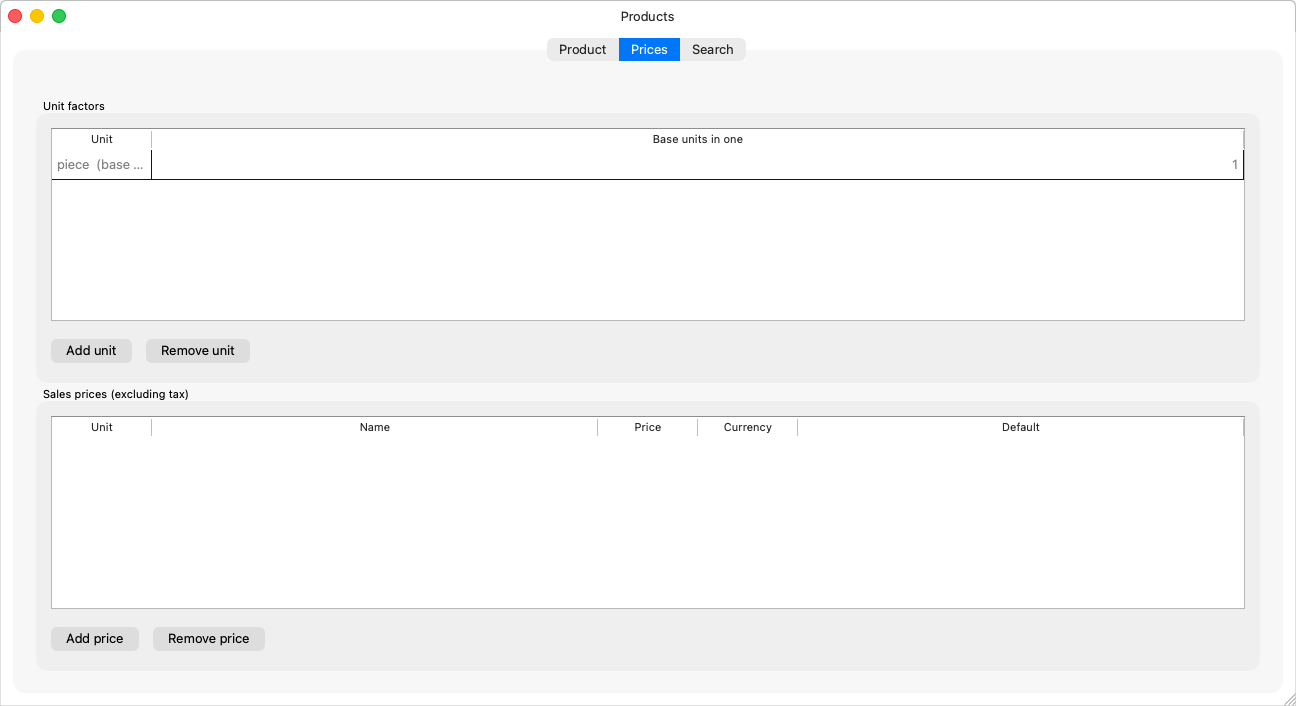
The tab's two grids
Unit factors — which units the product is measured in:
- The base unit is the first row, marked “(base unit)” with its factor fixed at 1 (“The base unit needs no factor.”).
- Add unit opens a row: the unit and the “Base units in one” column — a box of 12 pieces: factor 12. It waits with “Enter how many base units the new unit holds.” until complete.
- Remove unit asks: “Remove this unit's factor from the product?”
Sales prices (before tax) — the price per unit:
- A row holds the unit, the name (regular price, wholesale…), the price, the currency, and default — the price a sales invoice line starts from: one per unit (“A unit has two default prices.” is refused).
- “Complete the new price -- unit, name and price -- to save it.” — an incomplete row waits with its note and is not sent.
How the tab saves
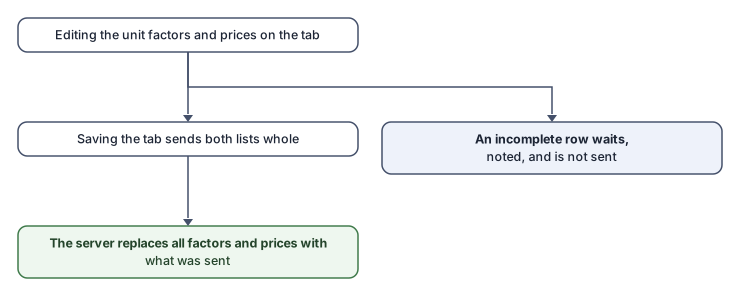
Unlike the rest of the window, the tab saves in one piece and whole: the server replaces both lists with what is sent. Anything you did not touch is sent exactly as it was read — so a save never changes something behind your back — and only an incomplete row is left out.
Rules and refusals
| Message | What it means |
|---|---|
| “{unit} is listed twice.” | One unit per factor row. |
| “Two prices for {unit} are named "{name}".” | A price's name is unique within its unit. |
| “A price cannot be negative.” | — |
| “No unit left” / “Every unit already has a factor for this product.” | Add the new unit in Units first. |
Common mistakes
- A factor the wrong way round (0.083 instead of 12): the column asks how many base units the new unit holds.
- Pricing the box without its factor: add the unit to the factors first, then price it.