The Vendors and Customers window
Who this page is for
Anyone managing “The people you buy from, and their payable accounts” and “The people you sell to, and their receivable accounts”. Two menu entries — Master Data ← Vendors and ← Customers — but one and the same window, opened on a different role.
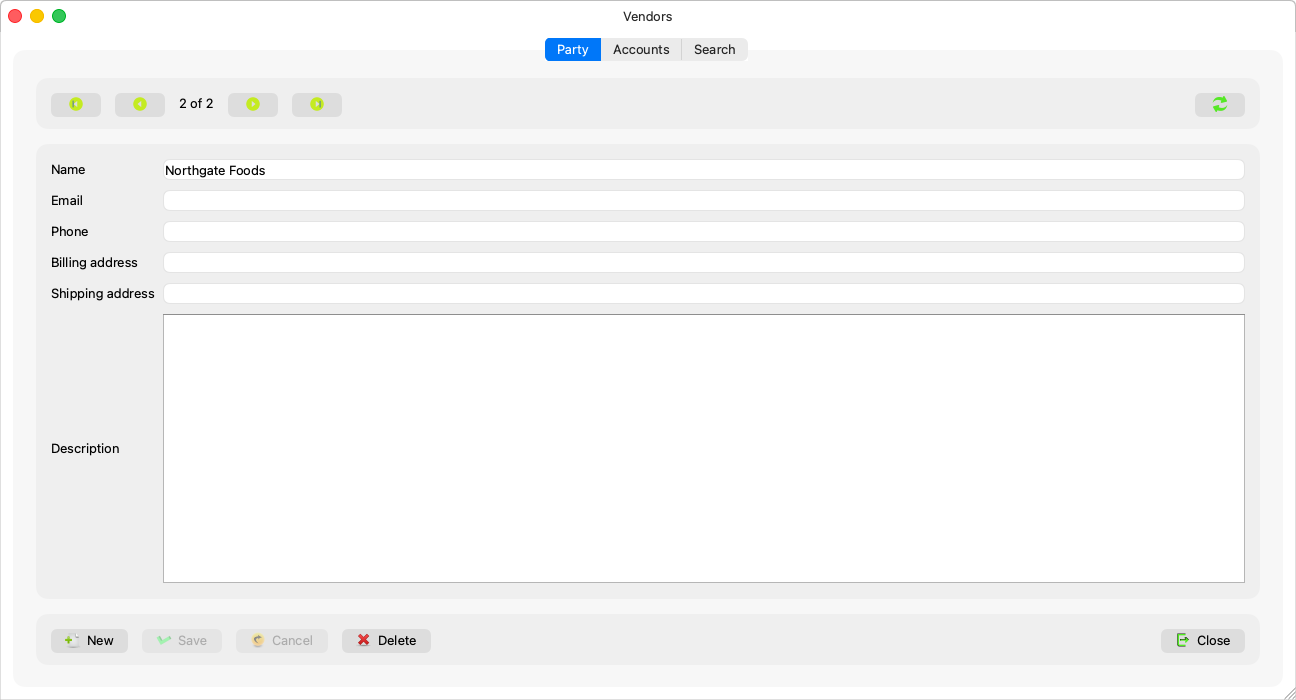
One party, two roles
A vendor and a customer are one record — the party: one name, one email, phone and addresses. What separates the roles is the accounts: a payable under the vendor accounts group makes the party a vendor, a receivable under the customer group makes it a customer — and a party holding both appears in both lists as the same record. So never create a person twice.
A small consequence follows: a new party with no accounts initially lists among the vendors; give it a customer account (“This party holds no receivable yet: add a customer account, so it lists among the customers and sales can be booked.”) and it appears where you wanted — A party's accounts.
Fields explained
| Field | What it means |
|---|---|
| Name | Required: “A party needs a name.” |
| Email and phone | Contact details — they show in the Supplier list report. |
| Billing address and shipping address | Free text. |
| Description | An internal note. |
Saving sends only what changed, and an emptied field is truly cleared.
The tabs
Party, Accounts (A party's accounts) and Search: “Search a name, an email or a phone number”, twenty results in the window's role (“No vendor matches this search.” / “No customer matches this search.”) — and the other two tabs are disabled while the party has changes.
Parties are also created from the invoice windows — the find-a-vendor or find-a-customer dialog (Entering a purchase invoice) — and opened from there here with “Open in Vendors” / “Open in Customers”.
Deleting a party
The delete question explains what happens to the accounts: “Delete "{name}"?” — “Its linked accounts that have no movement are unlinked and stay in the chart of accounts ({count}).” A party with history is refused in detail: “This party still has history, so it cannot be deleted.” with the counts — invoices, payments, entry lines, reservations, messages… — and “Its accounts: {codes}”.
Rules and refusals
- The window does not work before the two account groups are set in the settings: “The account group for vendors is not configured. A group administrator sets it in System Settings (Master Data → Accounting Settings).” — likewise customers; Invoice defaults.
- “This party no longer exists.” — someone got there before you.