Your groups and creating one
The group is the unit of work in Konzepti. Everything on the platform revolves around it: members and roles, projects and tasks, messages and media, the subscription and the database — all belong to the group, not to your account. Your account is one, and it gathers memberships in any number of groups: one for your business, another for your association, a third you were invited to as an accountant.
Who is this page for?
Every user. Creating groups is open to any account; running an existing group is its leader's and admin's business.
Your group list
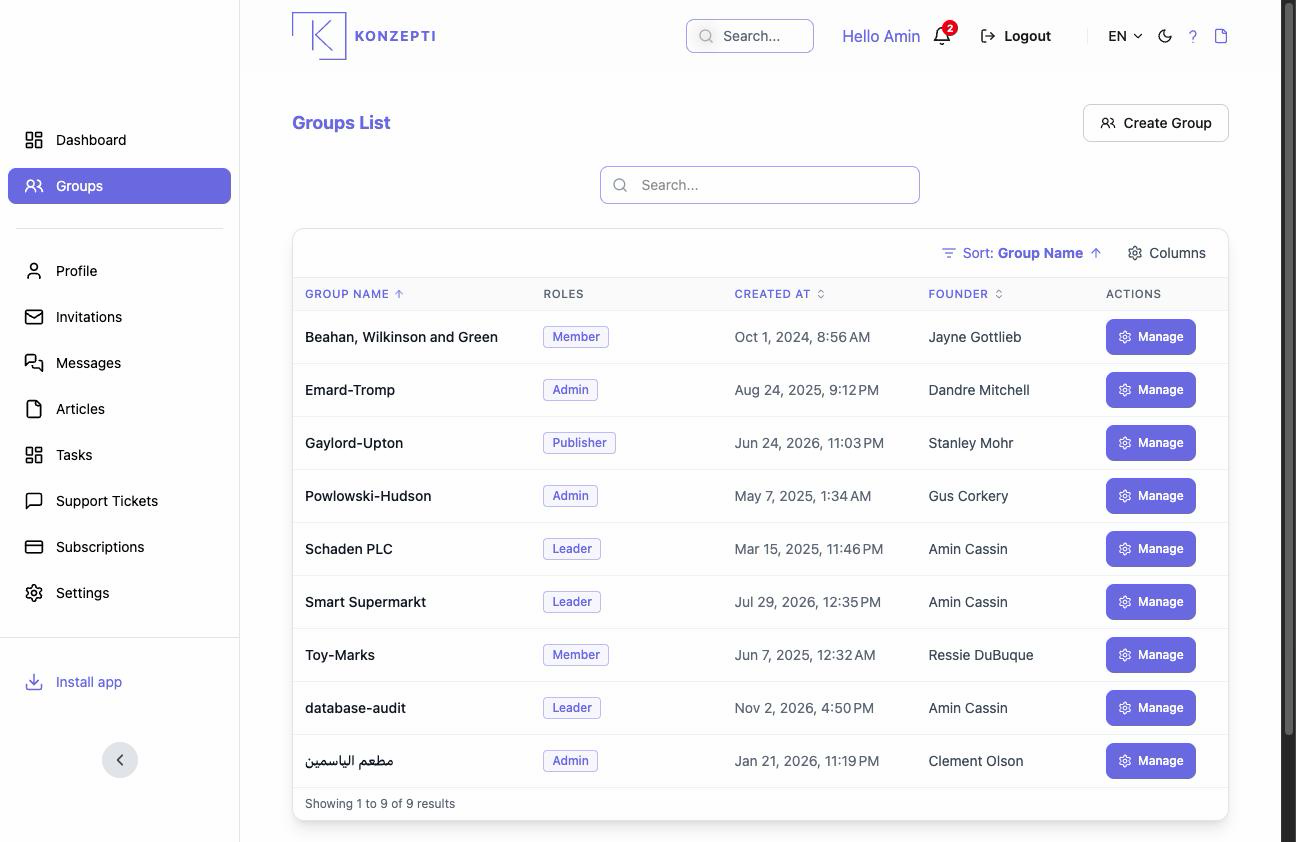
The Your Groups card on the dashboard shows every group you are a member of, with your role in it. From there you enter any group, and from there you create new ones.
Creating a group
- Press Create Group (or, with no group yet, Create your first group).
- Enter the Group Name and confirm. The name shows to members and in invitations; choose it clearly — names are not unique and duplicates are not prevented.
What you see after
The group opens with you as its Leader: the only member, with the highest authority. What usually follows: inviting members, then — for a working business — the subscription and the database.
Common mistakes
- Creating a second group for the same business instead of inviting colleagues into the first — groups cannot be merged.
- Hitting the free tier's group limit and being surprised — how many groups you create follows your plan.
Related pages
Members and inviting · The group control panel · Group settings