API keys
An API key is your group's identity towards external systems: with it your website shows your menu and receives your bookings and customer messages (connecting a website). The key is a secret: whoever holds it speaks to your group's data within the key's permissions.
Who is this page for?
The group's admin and its website developer.
What you need first
A database for the group, and a website or system that will use the key.
Generating a key
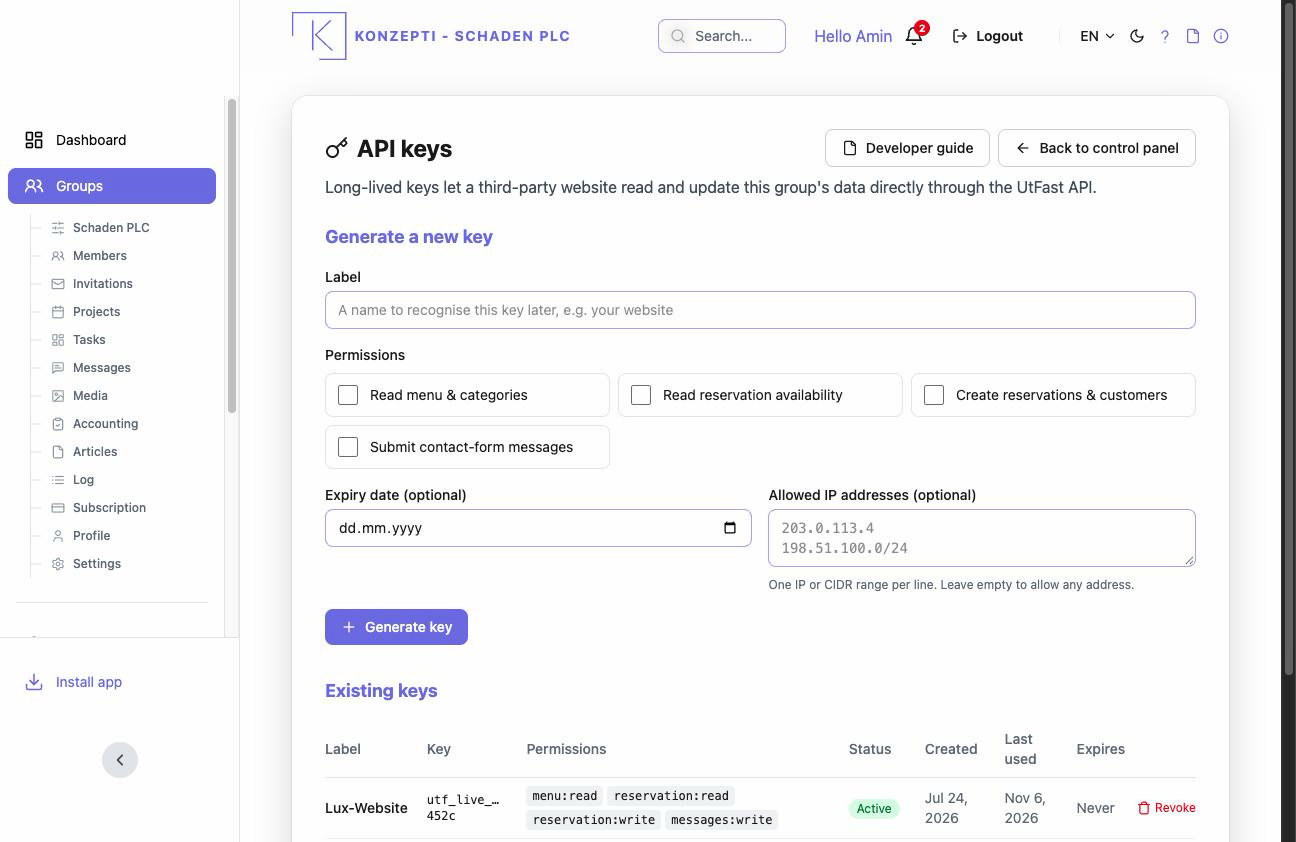
- Open the API-key management from your group's panel and press Generate a new key.
- Label — name it after its consumer ("the restaurant's website"), not something generic.
- Permissions — as narrow as suffices: a display key needs no write permission.
- Expiry date (optional) and Allowed IP addresses (optional) — one address or CIDR range per line.
- Press Generate key, then Copy — the key is shown this once only; store it safely on the website's side, never in an email or a shared file.
What you see after
The table shows per key: label, permissions, Last used, expiry and state — "Last used" is the quickest way to spot a dead key, or one working from where you don't expect.
Limits to understand
- The IP allowlist governs calls arriving from the internet; a call through the internal address is not blocked by the list — so never treat it as a substitute for keeping the key secret.
- A leaked key: revoke it immediately and generate another; revocation only breaks whoever uses the revoked key.
Common mistakes
- One key with all permissions for everything — one key per consumer, with the narrowest permission.
- Copying the key into a chat or document "temporarily".
- Forgetting expired keys and wondering why the website stopped — check Expiry date and "Last used".