A party's accounts
Who this page is for
Anyone giving a party a receivable or payable — the step that actually makes it a vendor or a customer. The Accounts tab of the Vendors and Customers window, on a saved party (“Save the party first: an account belongs to a saved party.”).
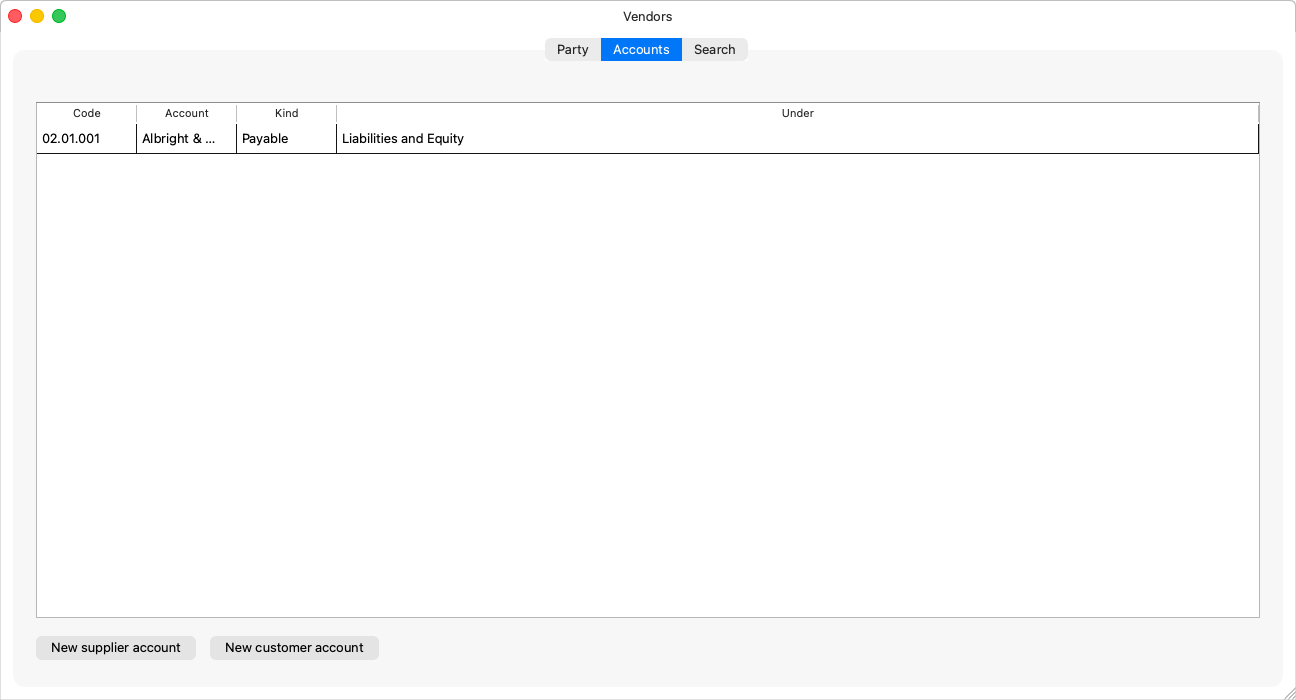
What the tab shows
A table of the party's linked accounts: the code, the account, the kind (“Payable” / “Receivable” / “Other”) and under — the top of the chart the account sits beneath. A party missing a role reads its note: “This party holds no payable yet: add a supplier account to book purchases against it.” — or its customer counterpart.
Creating an account for the party
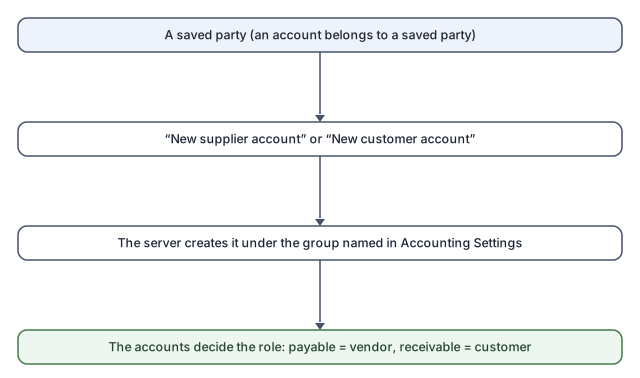
The “New supplier account” and “New customer account” buttons:
- Press the button — no location is asked for: the server creates the account under the group that Accounting Settings names for that role, named after the party.
- The account appears in the table and in the chart of accounts, and the party lists under its new role.
If the group is not set: “No group is set for new supplier accounts in Accounting Settings. Ask a group administrator to set it.” — the answer is setting it in Invoice defaults, not hunting for an account list here: the window offers no parent picker and moves no account, deliberately, so party receivables and payables stay in their one place in the chart.
Rules and refusals
| Message | What it means |
|---|---|
| “Only a posting account can belong to a party.” | Groups cannot be receivables or payables. |
| “Save or discard the party's changes first, then manage its accounts.” | The tab waits for a clean form. |
| “Failed to create the account” | With its reason — usually the missing setting above. |
And the party's account is protected from the chart's side too: its type cannot change and deleting it is blocked while it is linked — Deleting an account.
Common mistakes
- Creating the receivable in the Chart of Accounts and then trying to "link" it — there is no manual linking; create the account from here with the button, and it is born linked in the right place.
- Two accounts for one vendor by accident: a vendor with more than one payable is asked on every invoice which to use (“Choose which of the vendor's payable accounts this invoice books against.”) — create the second only if you want that split.