How do I link a project to a Bitbucket repository?
For developer teams: link a Konzepti project to a Bitbucket repository, and a developer can create the task's branch right from the task editor.
Who is this page for?
The technical project lead. You need a Bitbucket account with access to the repository.
What you need first
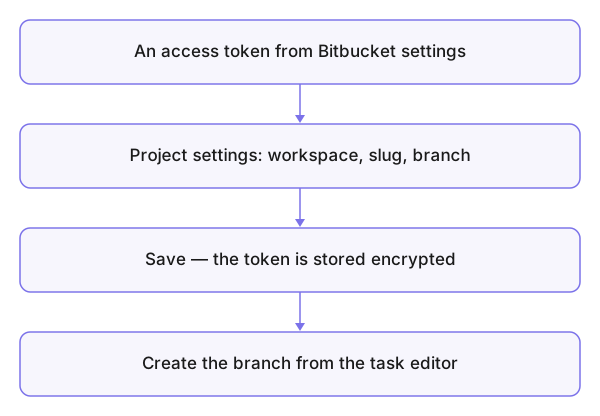
A repository access token from Bitbucket's settings — created with repository and branch permissions only, nothing wider.
Steps
- From the projects page open the project's Bitbucket repository settings.
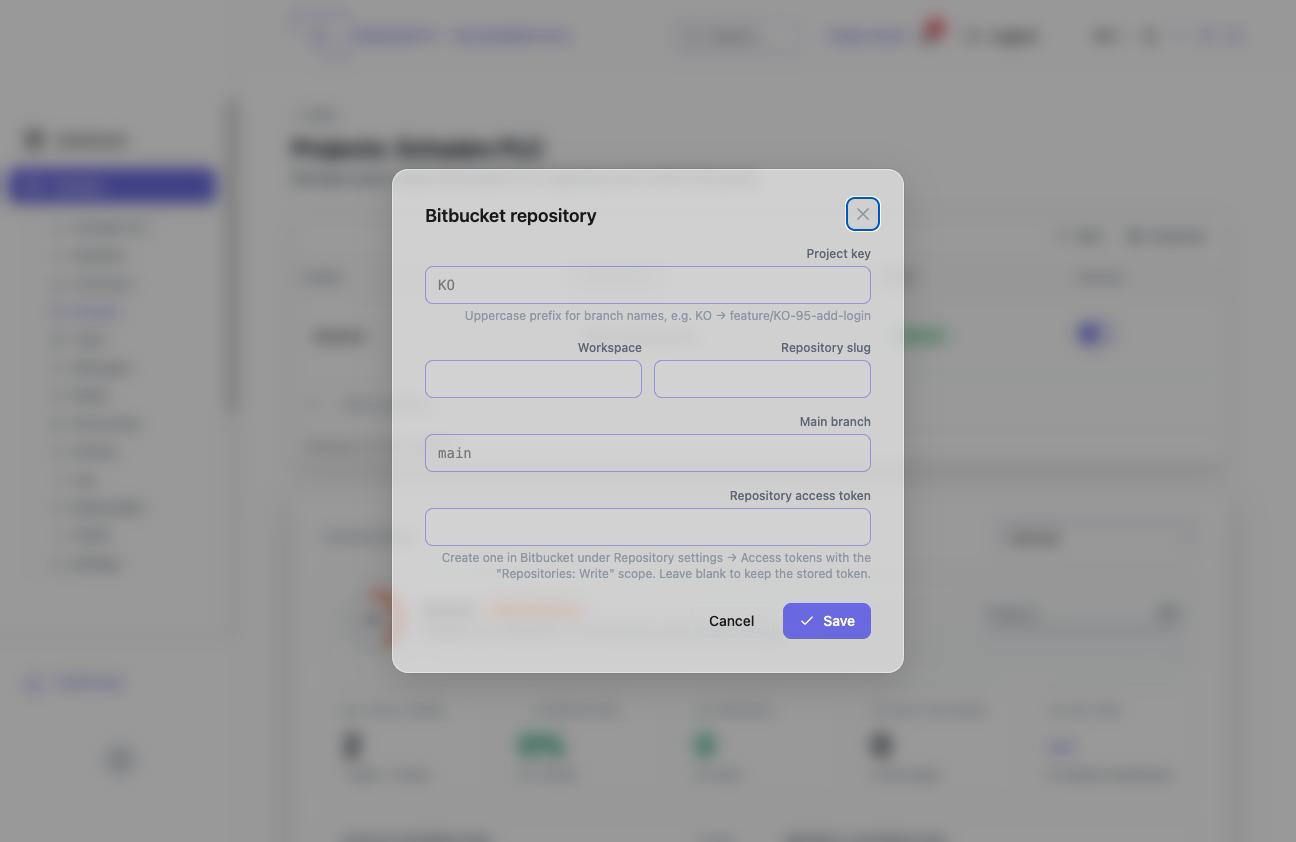
- Fill in Workspace, Repository slug and Main branch.
- Paste the Repository access token and save — the token is stored encrypted and never displayed again.
What you see after
In the editor of any task of this project, branch creation appears: a branch named after the task, cut from the main branch.
Common mistakes
- A token with wider permissions than needed — the narrow one is safer; and the token is a secret: whoever sees it edits your repository.
- A typo in the repository slug or workspace — branch creation fails, not the saving.