The catalog: menu, or products and services
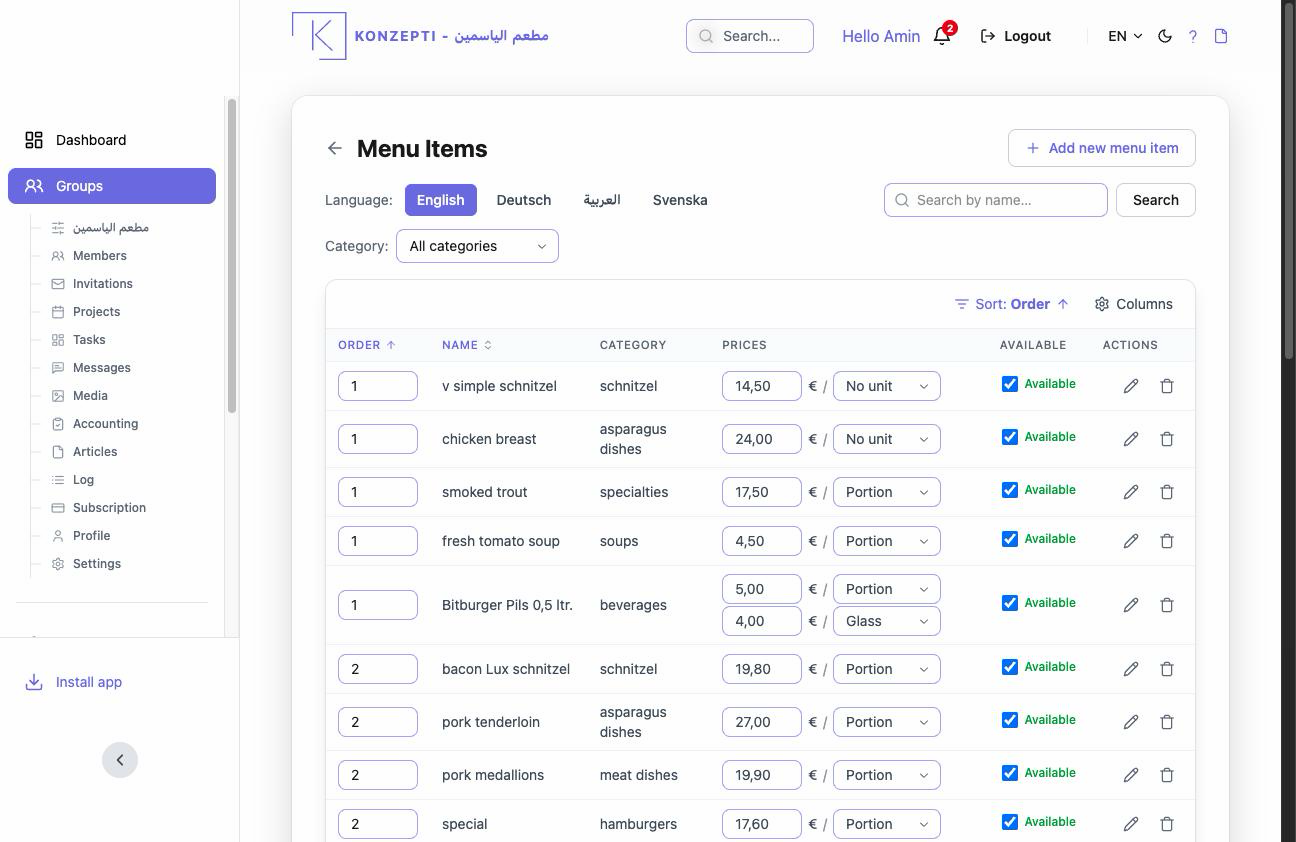
The catalog is what you sell: every item has its category, prices, translations and availability. And it is the single source — what your external website shows is this very catalog, through the website connection.
Who is this page for?
The business group's admin. Needs an active Business subscription and a ready category tree.
Adding and managing an item
- Open Catalog from your group's panel.
- Add the item: name, category, description.
- The price: a value and its Unit — per kilo, per hour, per piece… or No unit for an absolute price (Units).
- The translations: name the item in your customers' languages (Languages).
- The availability: switch off an item that ran out or left the season instead of deleting it.
Restaurant vs other businesses
- The restaurant: the catalog is the Menu Items — the dishes with their prices and sections, and what the website's menu shows.
- Everyone else: products sold or services offered; and the "Labels" in the panel settings tune the wording you see.
Common mistakes
- Items without the right category — lost from the website's browsing.
- A price with the wrong unit ("per kilo" for a per-piece item) — confusing orders.
- Deleting instead of switching availability off.