Members: inviting, roles and join requests
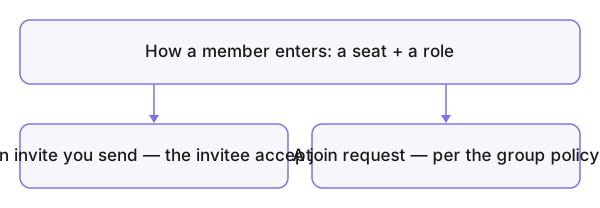
Membership in Konzepti is two things at once: a seat on the group's plan, and a role that sets the authority. A member enters two ways — an invitation you send, or a join request they submit if the group's policy allows — and either way they occupy a seat, and an open invitation occupies a seat before it is accepted.
Who is this page for?
The leader and admin; they invite, accept and adjust roles.
The roles
| Role | What it means |
|---|---|
| Leader | The highest authority; the group's creator is its leader, protected from removal |
| Admin | Manages members and settings, like the leader |
| Accountant | Reaches the accounting documents |
| Publisher | Publishes in the group's name |
| Supervisor | Follows without managing |
| Member | The ordinary membership |
A member holds several roles at once, adjusted later via Edit Member.
Inviting a member
- From the group's member page press Invite Member.
- Enter the invitee's email and name, choose the Role and the Invitation period, then Invite.
- The invitee accepts from their email or from the Invitations received card on their dashboard.
Join requests
If the Join Policy in the group settings allows it, a visitor presses Request to Join on the group's page, and the request shows up for you with Accept and Reject:
- Open — the requester joins immediately.
- Restricted — the request needs your approval.
- Invite Only / Closed — no requests.
What you see after
The new member sits in the member list with their role, and pending invitations sit in Group Invitations until accepted or cancelled.
Common mistakes
- Hitting the seat limit through forgotten unaccepted invitations — cancel them in the invitation table before upgrading.
- Inviting your accountant as Member and wondering why they can't see accounting — the role is the key.
- Trying to strip the founder's role — the founder is protected.