Diagnostics for support
Who this page is for
Anyone writing to the support team about a problem who wants to attach what they need in seconds.
Steps
-
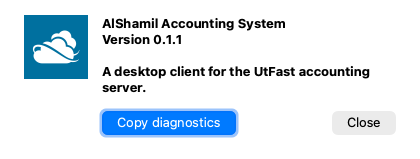
Open Window → About AlShamil (on a Mac: the application menu → About AlShamil).
-
Press Copy diagnostics — its tooltip says what is copied and what is not:
“Copies the version, the system and the recent log, for the support team. It never holds your password or sign-in.”
-
“Diagnostics copied. Paste them into your message to the support team.” — paste (Ctrl+V / ⌘V) into your mail, together with a description of what you were doing when the problem appeared.
What gets copied
The application's version, the system, the interface language, the server's address, and the last two hundred lines of the log — in English, because its reader is the support team. Passwords and sign-in tokens never enter the log in the first place: the application masks them before writing.
The log
The application writes a log on your machine (in your application-data folder), with rotating files so it never grows large. The copy above attaches its tail automatically, so you rarely need the file itself — and if support asks for it, they will point you to its place.
Common mistakes
- Sending it doesn't work with no diagnostics, then waiting through a round of questions — attach them with the first message.
- Taking a screenshot to paste the text: the information is ready as text on the clipboard; paste it as text that can be read and searched.