The Accounting Periods window
Who this page is for
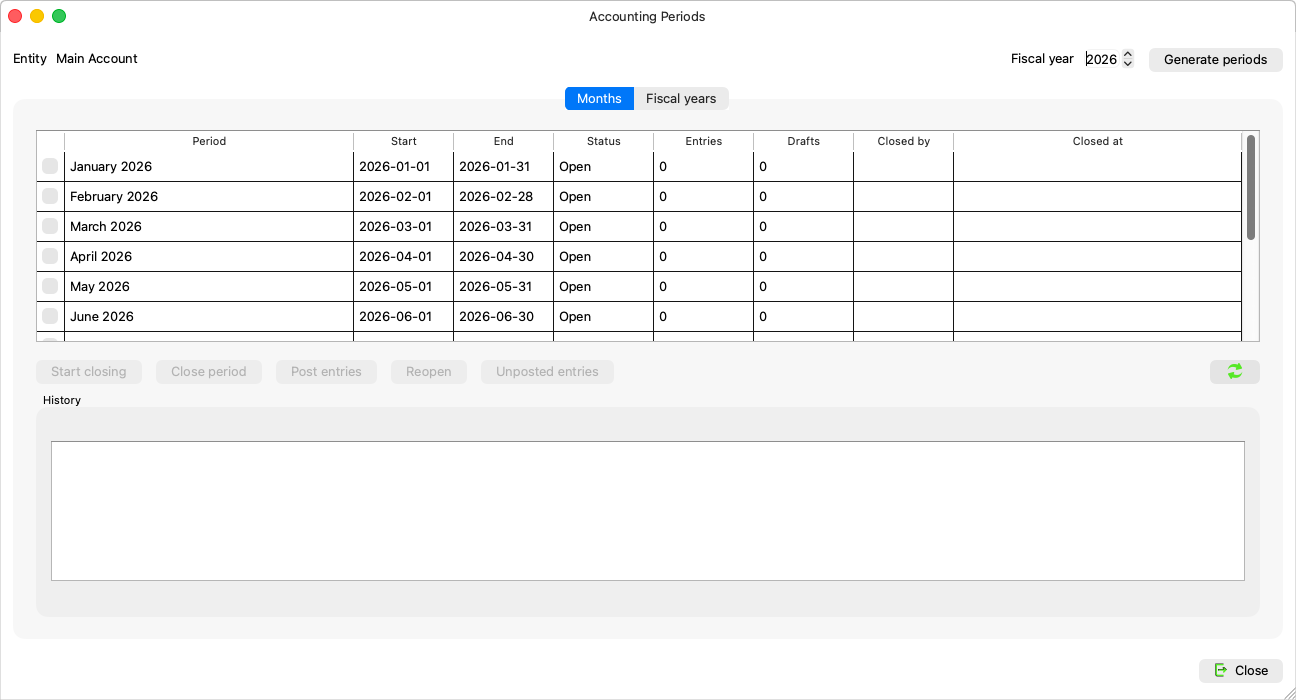
For everyone who manages the fiscal year's months: generating, closing, reopening, and posting a period's drafts in one go. It opens from Master Data → Accounting Periods.
What you need first
- An open group and a selected entity: “Select an entity first: accounting periods belong to an entity.”
The window's two tabs
| Tab | What it holds |
|---|---|
| Months | The table of the chosen fiscal year's periods, the close/reopen/post buttons, the “Ready to close” card, and the “Unposted entries” and “History” panes. |
| Fiscal years | The entity's years: open or closed, who closed each and when, and what would stand in the way of a close — Closing the fiscal year. |
The months table
| Column | Meaning |
|---|---|
| Period, Start and End | The month and its bounds. |
| Status | Open / Closing (takes adjustment and correction entries only) / Closed. |
| Entries and Drafts | The period's counters. |
| Closed by and Closed at | Who and when — “you” when it was you. |
And under the table:
- Unposted entries: the chosen period's drafts, ahead of a close.
- History: the period's decisions — “{date}: reopened by {who} — {reason}”, and “(automatic, from a journal entry)” for a reopen recorded by saving an entry at the Simple level.
The buttons
| Button | What it does |
|---|---|
| Generate periods | “Create the twelve monthly periods of this fiscal year for the entity.” — Generating periods. |
| Start closing | “Shut the period to ordinary entries while adjustments are still booked.” |
| Close period | Closing a period. |
| Post entries | “Review the period's entries, then post every draft in it at once.” |
| Reopen | For a group administrator — Reopening a period. |
The “Ready to close” card
Near the end of a month a card reminds you of the oldest period that is due: “{name} ends on {end}: {entries} entries, {drafts} drafts.” with three buttons: Close now, Postpone (asking for the “New target date” and a reason), and Remind me later. At the Simple level the card never shows: closing there organizes rather than locks.